| --- |
| license: apache-2.0 |
| base_model: |
| - Qwen/Qwen-Image-Edit-2509 |
| pipeline_tag: image-to-image |
| widget: |
| - text: apply the image 2 full costume to image 1 singing girl |
| output: |
| url: workflow-demo2.png |
| - text: use image 2 city night view as background for image 1 |
| output: |
| url: workflow-demo.png |
| - text: use image 2 as background for image 1 fairy |
| output: |
| url: workflow-demo3.png |
| tags: |
| - gguf-connector |
| - gguf-node |
| --- |
| ## qwen-image-edit-plus-gguf |
| - run it with `gguf-connector`; simply execute the command below in console/terminal |
| ``` |
| ggc q8 |
| ``` |
| > |
| >GGUF file(s) available. Select which one to use: |
| > |
| >1. qwen-image-edit-plus-v2-iq3_s.gguf |
| >2. qwen-image-edit-plus-v2-iq4_nl.gguf |
| >3. qwen-image-edit-plus-v2-mxfp4_moe.gguf |
| > |
| >Enter your choice (1 to 3): _ |
| > |
| - opt a `gguf` file in your current directory to interact with; nothing else |
|
|
|  |
|
|
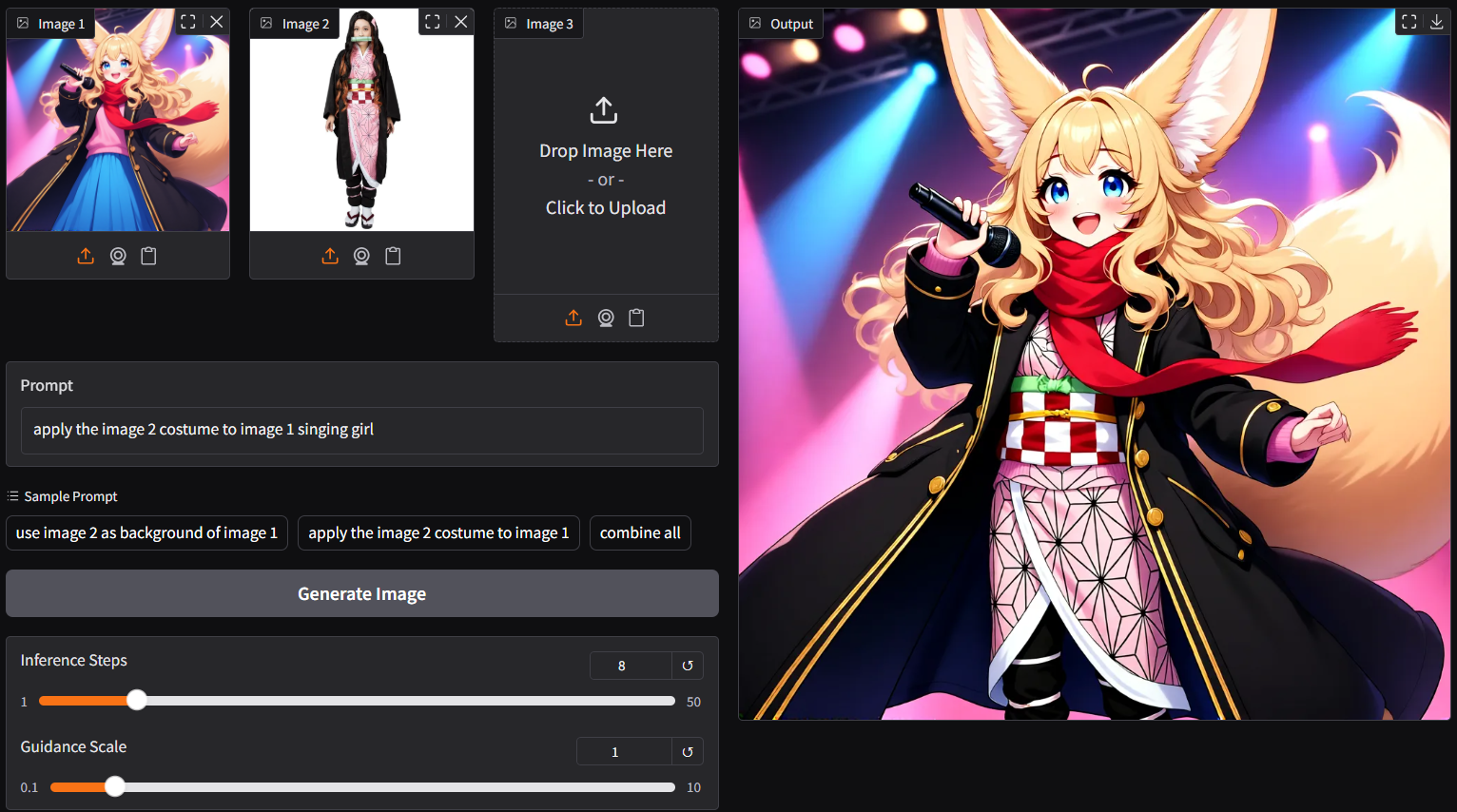
| - `ggc q8` accepts multiple image input (see picture above; two images as input) |
| - as lite lora auto applied, able to generate output with merely 4/8 steps instead of the default 40 steps; save up to 80% loading time |
|
|
|  |
|
|
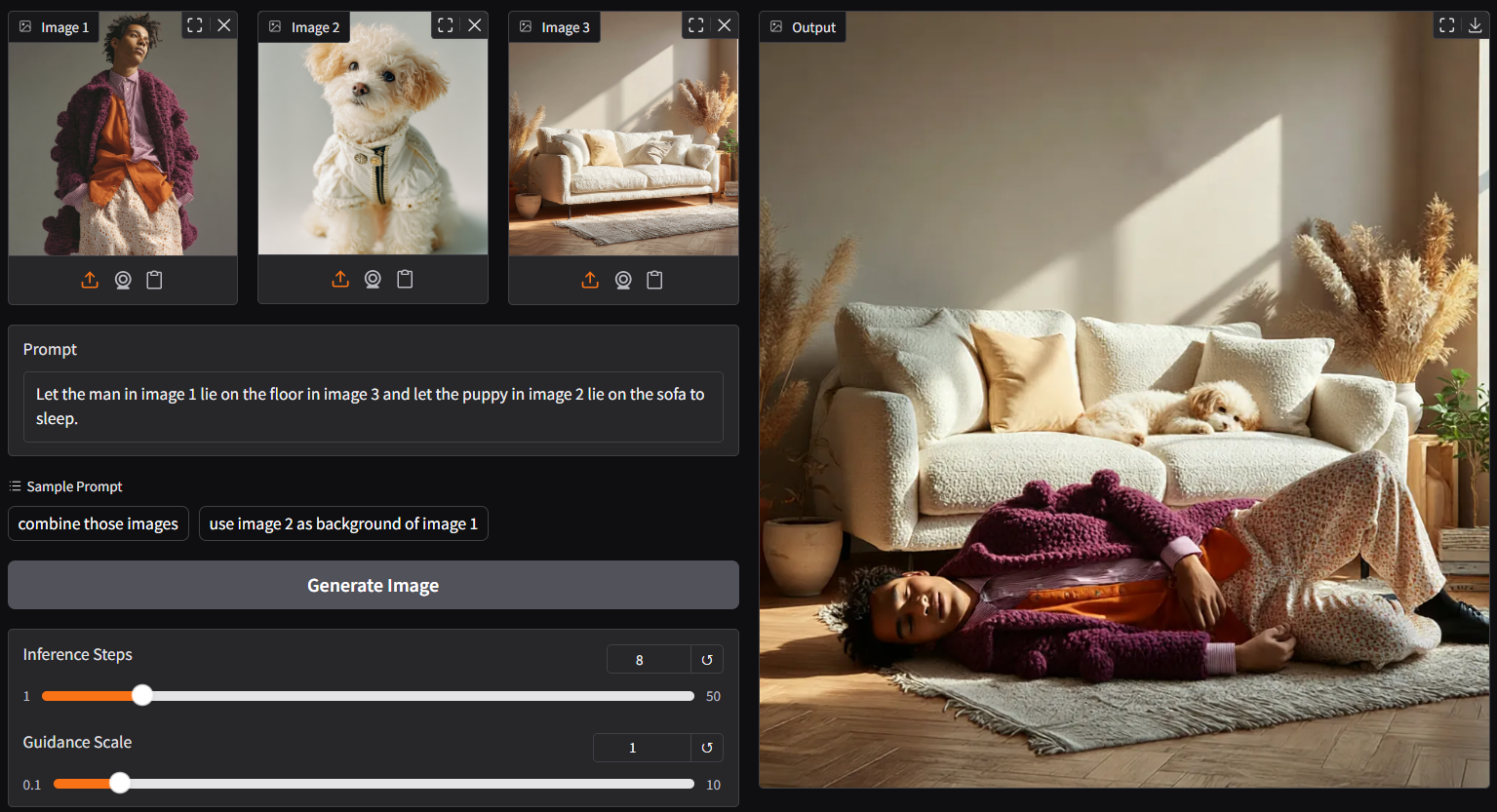
| - up to 3 pictures plus customize prompt as input (above is 3 images input demo) |
|
|
|  |
|
|
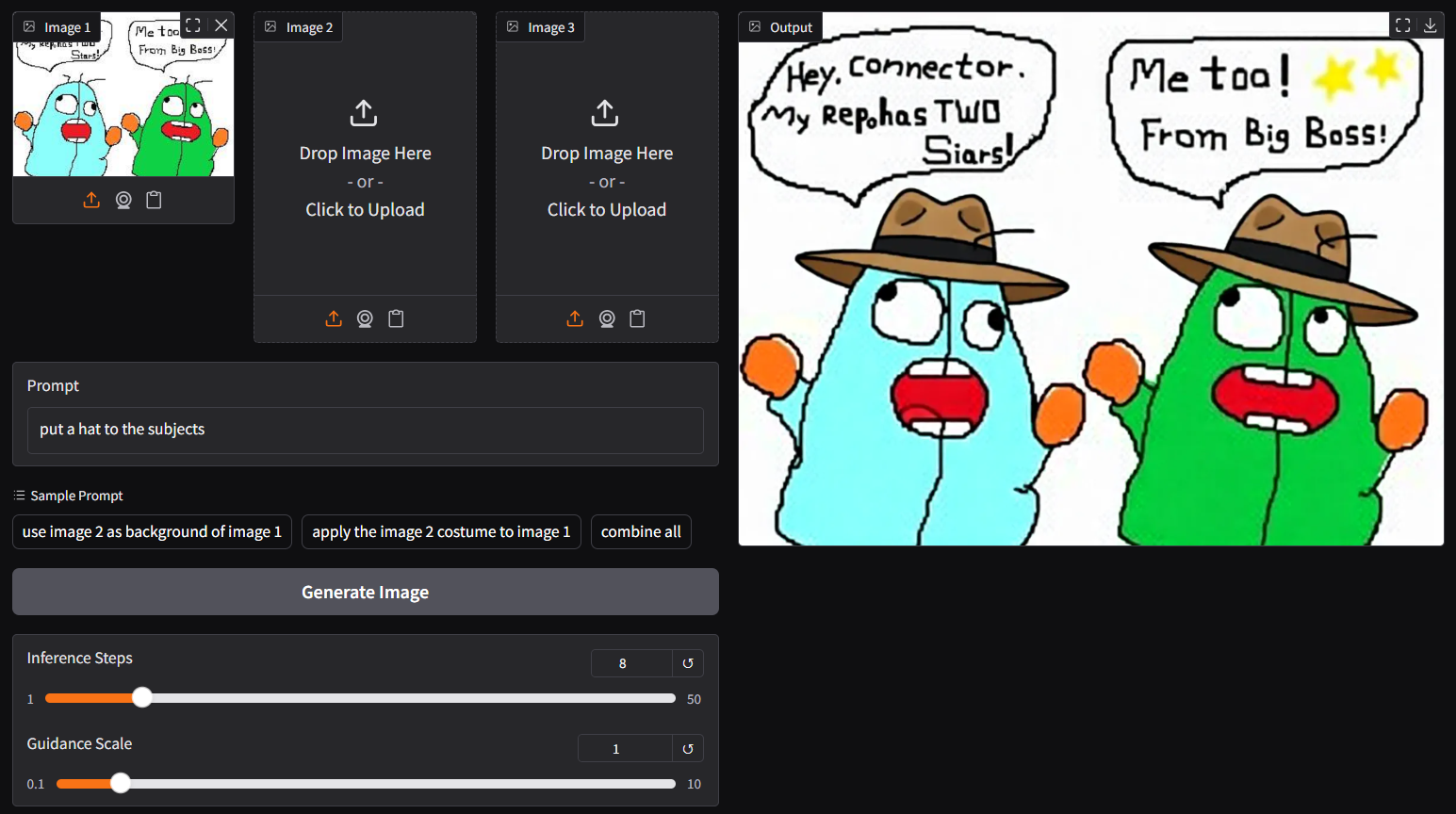
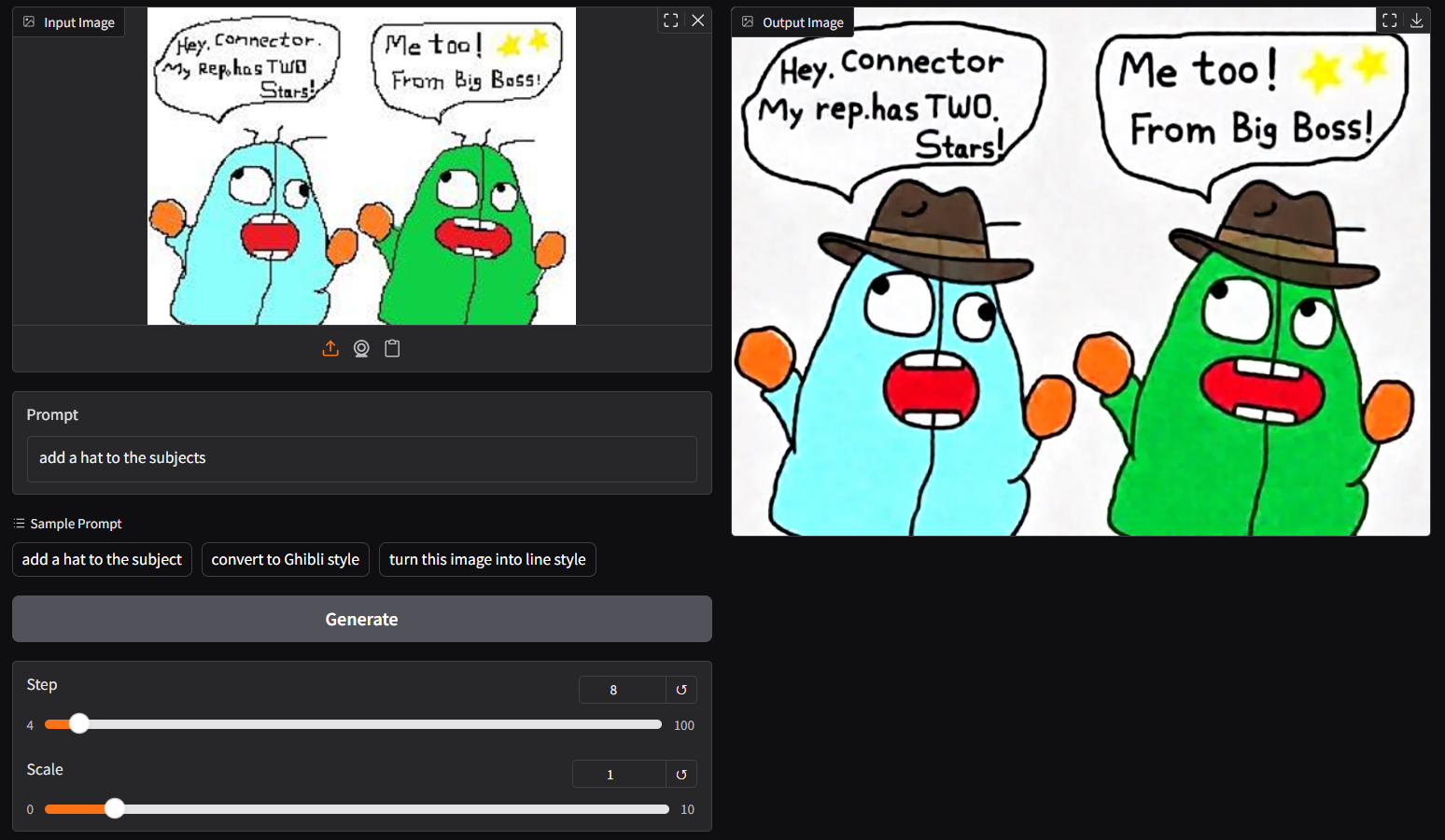
| - though `ggc q8` is accepting single image input (see above), you could opt the legacy `ggc q7` (see below); similar to image-edit model before |
|
|
| ``` |
| ggc q7 |
| ``` |
|
|
|  |
|
|
| ## **run it with gguf-node via comfyui** |
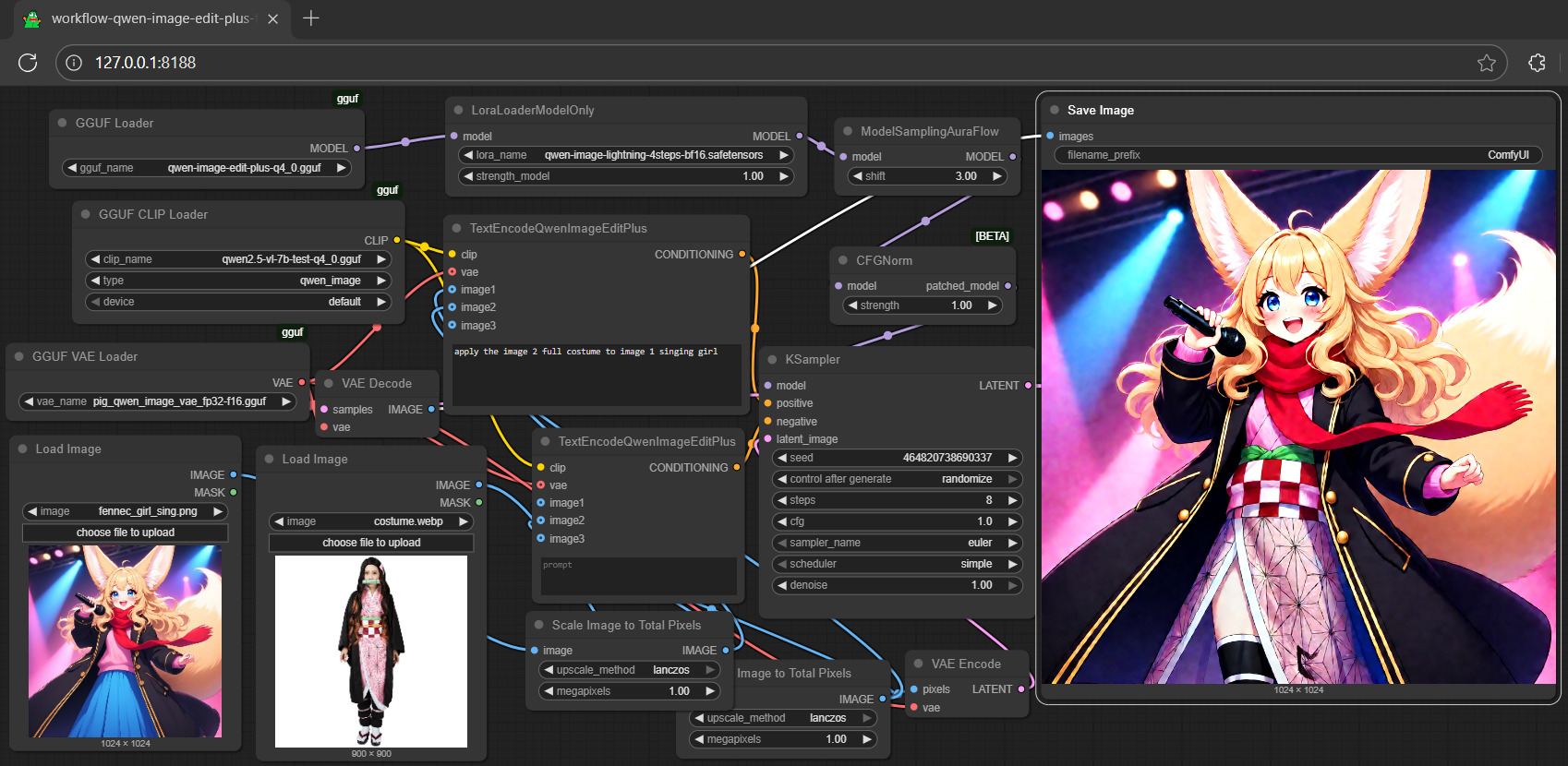
| - drag **qwen-image-edit-plus** to > `./ComfyUI/models/diffusion_models` |
| - *anyone below, drag it to > `./ComfyUI/models/text_encoders` |
| - option 1: just **qwen2.5-vl-7b-test** [[5.03GB](https://huggingface.co/calcuis/qwen-image-edit-plus-gguf/blob/main/qwen2.5-vl-7b-test-q4_0.gguf)] |
| - option 2: just **qwen2.5-vl-7b-edit** [[7.95GB](https://huggingface.co/calcuis/pig-encoder/blob/main/qwen_2.5_vl_7b_edit-q2_k.gguf)] |
| - option 3: both **qwen2.5-vl-7b** [[4.43GB](https://huggingface.co/chatpig/qwen2.5-vl-7b-it-gguf/blob/main/qwen2.5-vl-7b-it-q4_0.gguf)] and **mmproj-clip** [[608MB](https://huggingface.co/chatpig/qwen2.5-vl-7b-it-gguf/blob/main/mmproj-qwen2.5-vl-7b-it-q4_0.gguf)] |
| - drag **pig** [[254MB](https://huggingface.co/calcuis/pig-vae/blob/main/pig_qwen_image_vae_fp32-f16.gguf)] to > `./ComfyUI/models/vae` |
| |
|  |
| |
| <Gallery /> |
| |
| ## **run it with diffusers** |
| - might need the most updated git version for `QwenImageEditPlusPipeline`, should after this [pr](https://github.com/huggingface/diffusers/pull/12357/files); for i quant support, should after this [commit](https://github.com/huggingface/diffusers/commit/28106fcac4fd13e7ced5c9eb6803f107e804a08f); install the updated git version diffusers by: |
| ``` |
| pip install git+https://github.com/huggingface/diffusers.git |
| ``` |
| - simply replace `QwenImageEditPipeline` by `QwenImageEditPlusPipeline` from the qwen-image-edit inference example (see [here](https://huggingface.co/calcuis/qwen-image-edit-gguf)) |
| ```py |
| import torch, os |
| from diffusers import QwenImageTransformer2DModel, GGUFQuantizationConfig, QwenImageEditPlusPipeline |
| from diffusers.utils import load_image |
| |
| model_path = "https://huggingface.co/calcuis/qwen-image-edit-plus-gguf/blob/main/qwen-image-edit-plus-v2-iq4_nl.gguf" |
| |
| transformer = QwenImageTransformer2DModel.from_single_file( |
| model_path, |
| quantization_config=GGUFQuantizationConfig(compute_dtype=torch.bfloat16), |
| torch_dtype=torch.bfloat16, |
| config="callgg/image-edit-plus", |
| subfolder="transformer" |
| ) |
| pipeline = QwenImageEditPipeline.from_pretrained("Qwen/Qwen-Image-Edit-2509", transformer=transformer, torch_dtype=torch.bfloat16) |
| print("pipeline loaded") |
| pipeline.enable_model_cpu_offload() |
| image = load_image("https://huggingface.co/datasets/huggingface/documentation-images/resolve/main/diffusers/cat.png") |
| prompt = "Add a hat to the cat" |
| inputs = { |
| "image": image, |
| "prompt": prompt, |
| "generator": torch.manual_seed(0), |
| "true_cfg_scale": 2.5, |
| "negative_prompt": " ", |
| "num_inference_steps": 20, |
| } |
| with torch.inference_mode(): |
| output = pipeline(**inputs) |
| output_image = output.images[0] |
| output_image.save("output.png") |
| print("image saved at", os.path.abspath("output.png")) |
| ``` |
| |
| ## **run nunchaku safetensors straight with gguf-connector (experimental feature)** |
| - run it with the new `q9` connector; simply execute the command below in console/terminal |
| ``` |
| ggc q9 |
| ``` |
| > |
| >Safetensors available. Select which one to use: |
| > |
| >1. qwen-image-edit-lite-blackwell-fp4.safetensors |
| >2. qwen-image-edit-lite-int4.safetensors (for non-blackwell card) |
| > |
| >Enter your choice (1 to 2): _ |
| - opt a `safetensors` file in your current directory to interact with; nothing else |
|
|
| 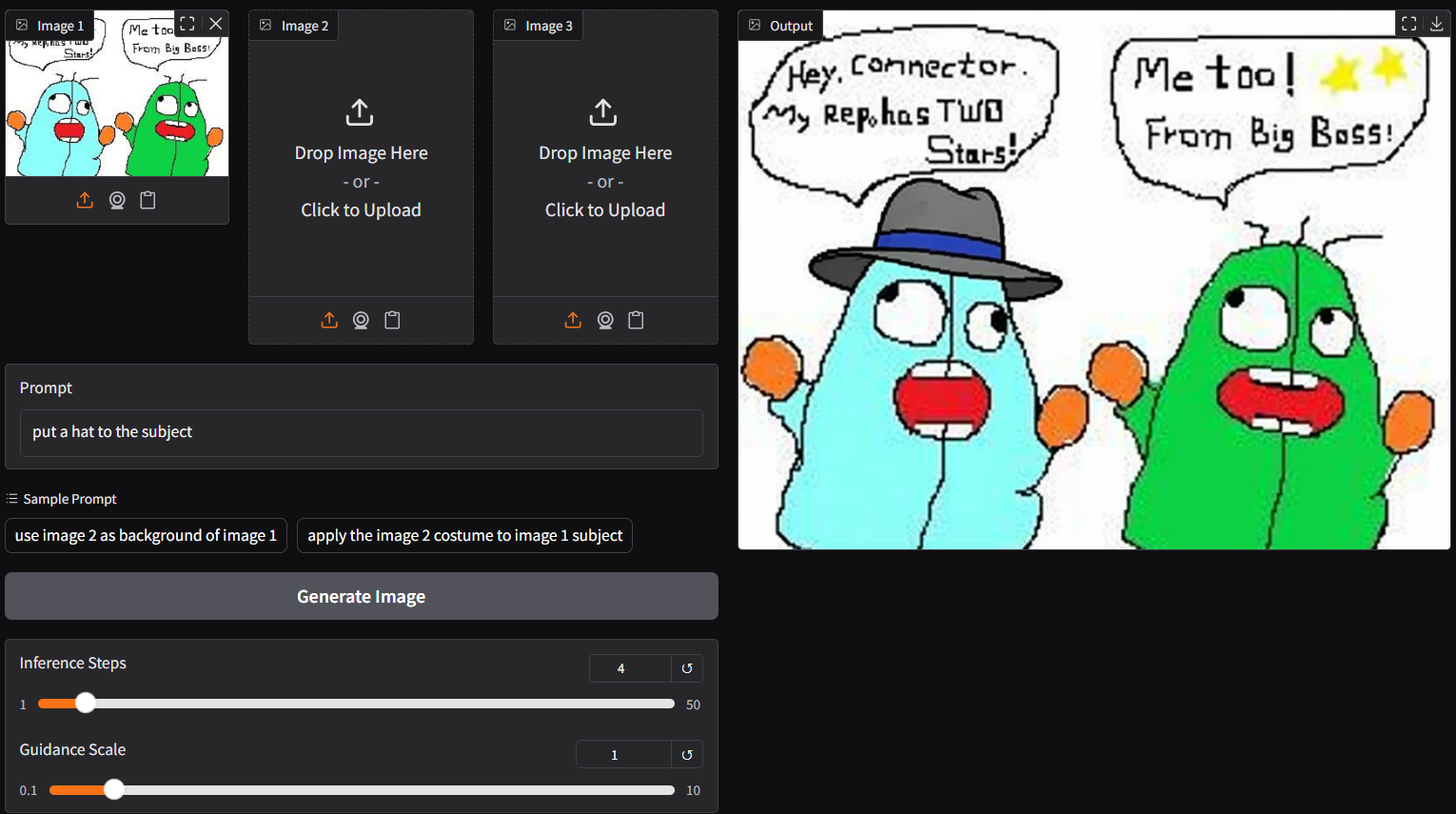 |
| note: able to generate output with 4/8 steps (see above); surprisingly fast even with low end device; compatible with safetensors in nunchaku repo (depends on your machine; opt the right one) |
|
|
| ## **run the lite model (experimental) with gguf-connector** |
| ``` |
| ggc q0 |
| ``` |
| > |
| >GGUF file(s) available. Select which one to use: |
| > |
| >1. qwen-image-edit-lite-iq4_nl.gguf |
| >2. qwen-image-edit-lite-q4_0.gguf |
| >3. qwen-image-edit-lite-q4_k_s.gguf |
| > |
| >Enter your choice (1 to 3): _ |
| > |
| - opt a `gguf` file in your current directory to interact with; nothing else |
|
|
|  |
|
|
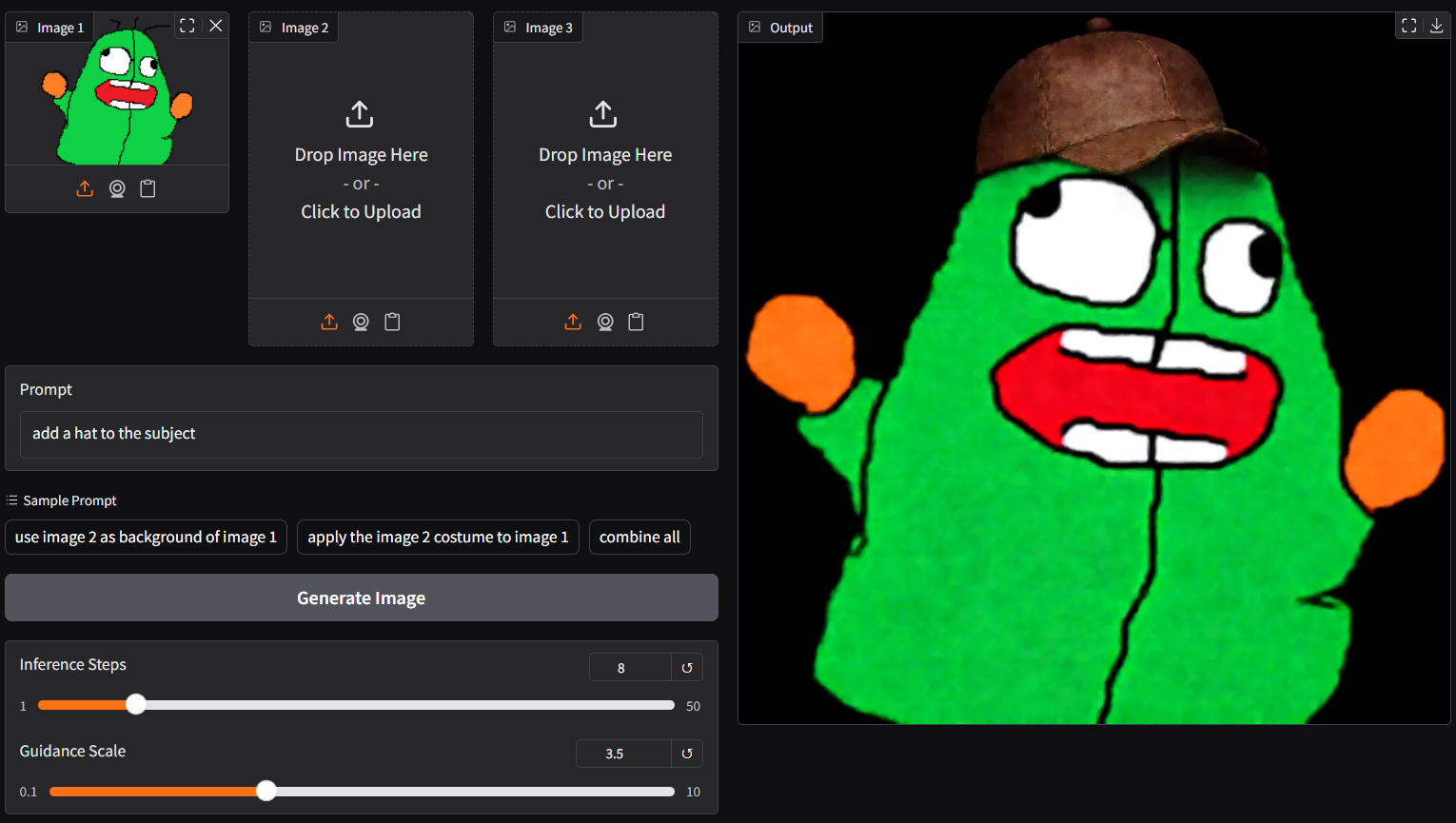
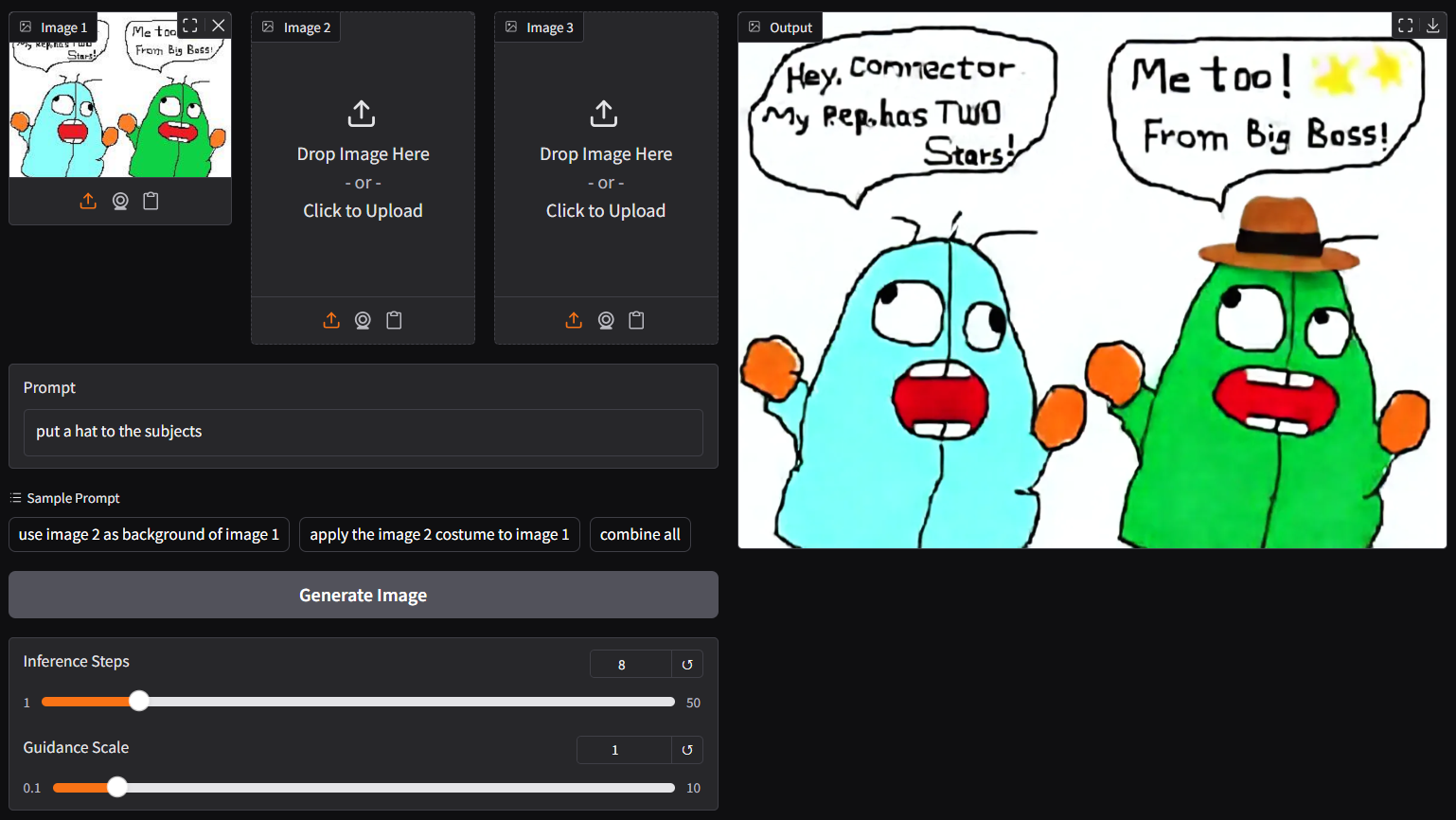
| note: a new lite lora auto applied to `q0` and `q9`; able to generate output with 4/8 steps; and more working layers in these versions, should be more stable than `p0` (v2.0) below |
|
|
|  |
|
|
| - for lite v2.0, please use `p0` connector (experimental) |
| ``` |
| ggc p0 |
| ``` |
| > |
| >GGUF file(s) available. Select which one to use: |
| > |
| >1. qwen-image-edit-lite-v2.0-iq2_s.gguf |
| >2. qwen-image-edit-lite-v2.0-iq3_s.gguf |
| >3. qwen-image-edit-lite-v2.0-iq4_nl.gguf |
| > |
| >Enter your choice (1 to 3): _ |
| > |
| - opt a `gguf` file in your current directory to interact with; nothing else |
|
|
| ## **run the new lite v2.1 (experimental) with gguf-connector** |
| - for lite v2.1, please use `p9` connector |
| ``` |
| ggc p9 |
| ``` |
| > |
| >GGUF file(s) available. Select which one to use: |
| > |
| >1. qwen-image-edit-lite-v2.1-q4_0.gguf |
| >2. qwen-image-edit-lite-v2.1-mxfp4_moe.gguf |
| > |
| >Enter your choice (1 to 2): _ |
| > |
| - opt a `gguf` file in your current directory to interact with; nothing else |
|
|
|  |
|
|
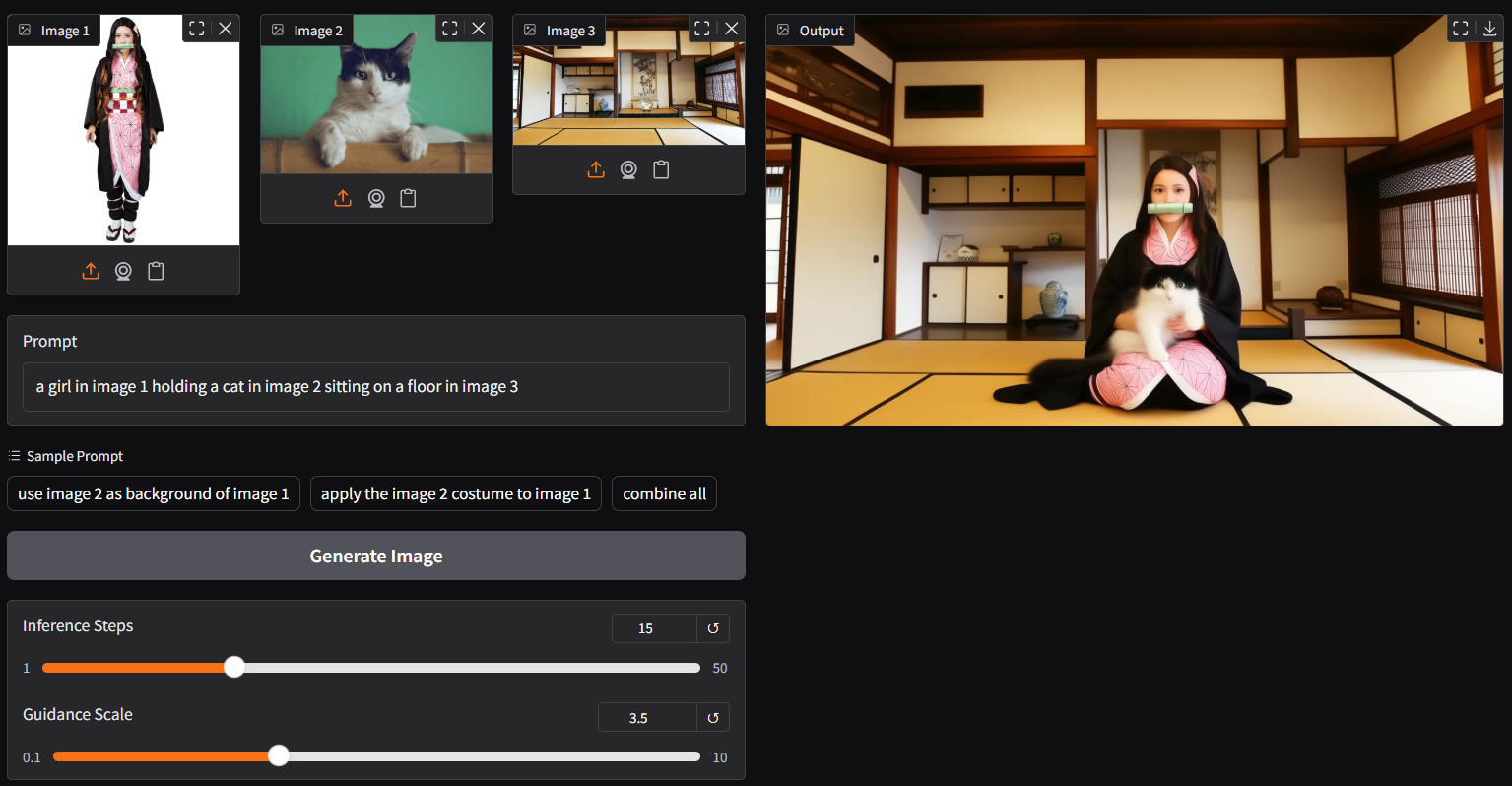
| note: `ggc p9` is able to generate picture with 4/8 steps but need a higher guidance (i.e., 3.5); if too many elements involved, you might consider increasing the steps (i.e., 15) for better output |
|
|
|  |
|
|
| ### **reference** |
| - gguf-node ([pypi](https://pypi.org/project/gguf-node)|[repo](https://github.com/calcuis/gguf)|[pack](https://github.com/calcuis/gguf/releases)) |
| - gguf-connector ([pypi](https://pypi.org/project/gguf-connector)) |