

Flux Kontext Character Turnaround Sheet LoRA
Details
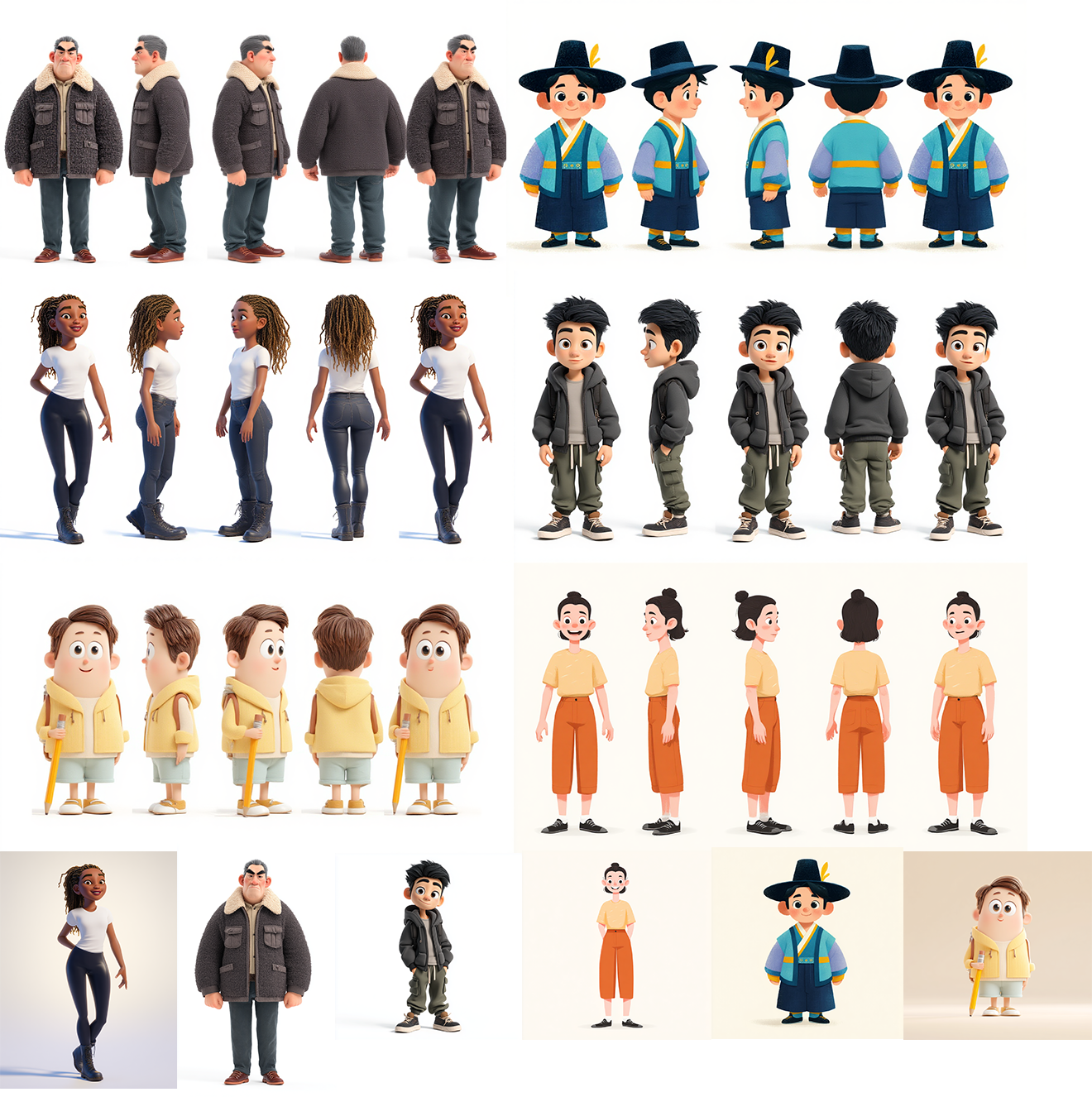
Recommended Prompt:create turnaround sheet of this exact character, 5 full-body poses on pure white background: front view, 3/4 left, left profile, back view, right profile, 3/4 right — evenly spaced in a clean horizontal row, consistent lighting and style, no background noise, no shadows, same proportions and detailing across all views
*feel free to tweak the prompt, but make sure you have "create turnaround sheet of this character" in your updated prompt.
Notes
- It won't work well on real human photos
- I recommend inputting a full body shot rather than a headshot of the character as the input image
- It's not good at creating facial expression sheet, but planning to train one later on for that purpose
- Without the lora, my example prompt itself also generates turnaround sheets, but with LoRA it's way better
- Trained with Ostris AI Toolkit
- Downloads last month
- 174
Model tree for reverentelusarca/kontext-turnaround-sheet-lora-v1
Base model
black-forest-labs/FLUX.1-Kontext-dev