


⚡ Flux.1-dev: Depth ControlNet ⚡
A controlNet for depth map developped by Jasper research team.
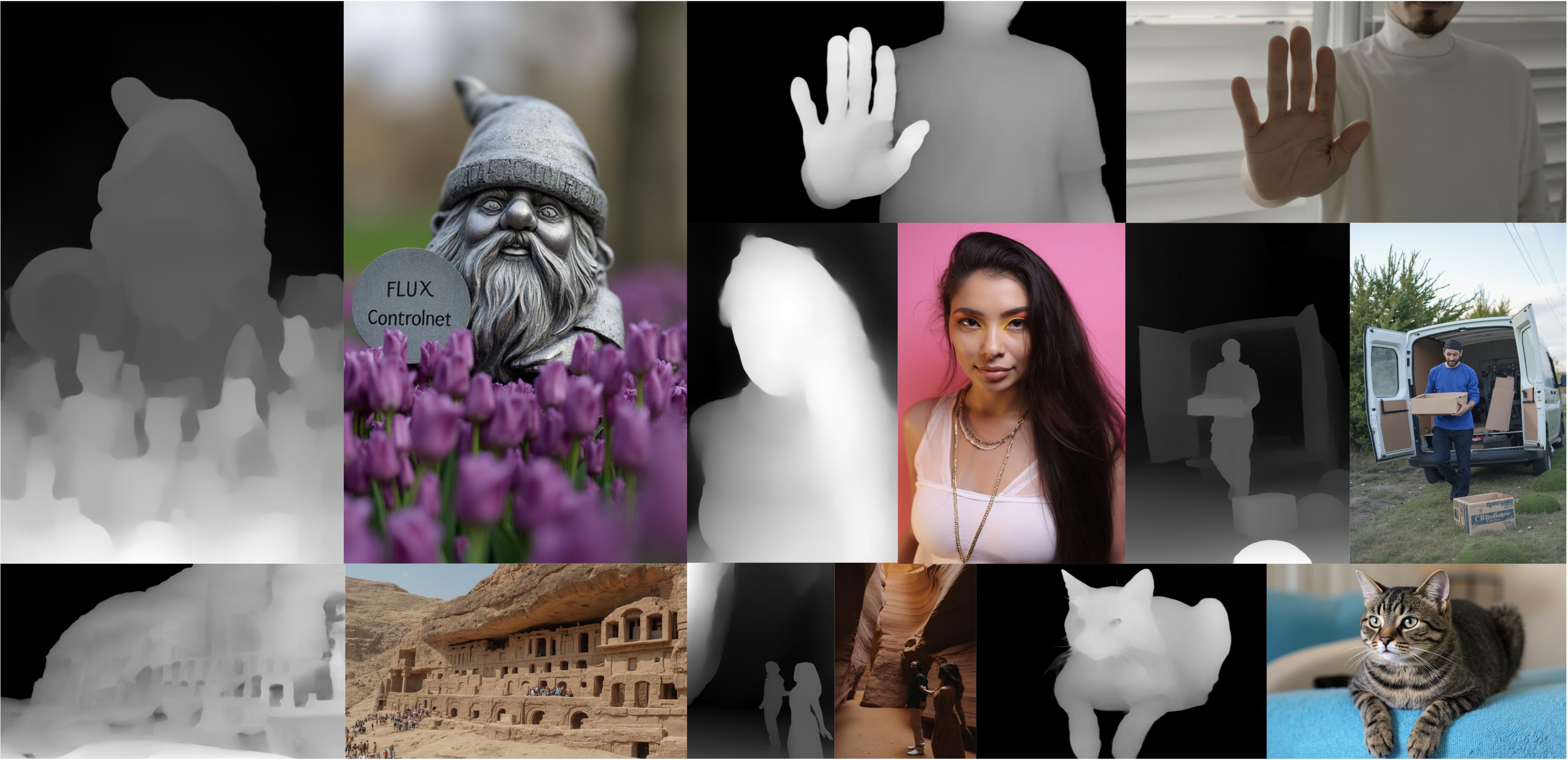
How to use
This model can be used directly with the diffusers library
import torch
from diffusers.utils import load_image
from diffusers import FluxControlNetModel
from diffusers.pipelines import FluxControlNetPipeline

# Load pipeline
controlnet = FluxControlNetModel.from_pretrained(
  "jasperai/Flux.1-dev-Controlnet-Depth",
  torch_dtype=torch.bfloat16
)
pipe = FluxControlNetPipeline.from_pretrained(
  "black-forest-labs/FLUX.1-dev",
  controlnet=controlnet,
  torch_dtype=torch.bfloat16
)


# Load a control image
control_image = load_image("https://huggingface.co/jasperai/Flux.1-dev-Controlnet-Depth/resolve/main/examples/depth.jpg")

image = pipe(
    prompt,
    control_image=control_image,
    controlnet_conditioning_scale=0.6,
    num_inference_steps=28,
    guidance_scale=3.5,
).images[0]
image.save("image.jpg")

Licence
The licence under the Flux.1-dev model applies to this model.