


tags:
  - 1b
  - 1b-active
  - 5b
  - 7b
  - allenai
  - android
  - apple-silicon
  - attested
  - calibration-aware-pruning
  - chain-of-custody
  - chinese
  - consumer-gpu
  - cryptographically-verified
  - edge-inference
  - embedded
  - english
  - expert-pruning
  - forge-alloy
  - fully-open
  - general
  - general-purpose
  - ggml
  - gguf
  - iphone
  - llama-cpp
  - lm-studio
  - local-inference
  - macbook
  - mixture-of-experts
  - mlx
  - mobile
  - moe
  - multilingual
  - ollama
  - olmoe
  - on-device
  - q5-k-m
  - q5_k_m
  - quantized
  - raspberry-pi
  - reproducible
  - sparse-moe
  - text-generation
  - versatile
base_model: allenai/OLMoE-1B-7B-0924-Instruct
pipeline_tag: text-generation
license: apache-2.0
25% Experts Pruned, 36.0 HUMANEVAL (base 40.9)
OLMoE-1B-7B-0924-Instruct compacted via per-layer-normalized MoE expert pruning against the unmodified teacher.
- HUMANEVAL: 36.0 (base 40.9, Δ -4.9)
- HUMANEVAL+PLUS: 31.7 (base 36.6, Δ -4.9)

Every claim on this card is verified
Trust: self-attested · 2 benchmarks · 1 device tested
ForgeAlloy chain of custody · Download alloy · Merkle-chained
About this model
Cross-architecture validation artifact for the §4.1.3.4 calibration-aware expert importance methodology. OLMoE-1B-7B-0924-Instruct (the smallest serious MoE on HuggingFace, fully-open Allen AI release) compacted from 64 experts per layer to 48 via per-layer-normalized activation-count importance ranking on a held-out Python code calibration corpus. Hardware-measured 36.0 HumanEval / 31.7 HumanEval+ vs the unmodified base's 40.9 / 36.6 — within −4.9 / −4.9 of the base anchor. The negative-baseline broad-corpus variant scored 28.0 / 26.2 (Δ −12.9 / −10.4); the +8.0 / +5.5 swing from changing only the calibration corpus is the second empirical anchor for §4.1.3.4 (the first was Qwen3-Coder-30B-A3B with a +9.7 swing). Two architectures (Qwen3MoeForCausalLM and OlmoeForCausalLM) now empirically validate the cross-architecture invariance claim: the metric is architecture-invariant, the calibration-corpus alignment is the lever.
Benchmarks
| Benchmark | Score | Base | Δ | Verified |
|---|---|---|---|---|
| humaneval | 36.0 | 40.9 | -4.9 | ✅ Result hash |
| humaneval_plus | 31.7 | 36.6 | -4.9 | ✅ Result hash |
What Changed (Base → Forged)
| Base | Forged | Delta | |
|---|---|---|---|
| Pipeline | expert-activation-profile → expert-prune → quant → eval | 1 cycles |
Runs On
| Device | Format | Size | Speed |
|---|---|---|---|
| NVIDIA GeForce RTX 5090 | Q5_K_M | 3.6GB | Verified |
| MacBook Pro 32GB | fp16 | 3.6GB | Expected |
| MacBook Air 16GB | Q8_0 | ~1.8GB | Expected |
| MacBook Air 8GB | Q4_K_M | ~1.1GB | Expected |
| iPhone / Android | Q4_K_M | ~1.1GB | Expected |
Quick Start
from transformers import AutoModelForCausalLM, AutoTokenizer

model = AutoModelForCausalLM.from_pretrained("continuum-ai/olmoe-1b-7b-compacted-5b",
    torch_dtype="auto", device_map="auto")
tokenizer = AutoTokenizer.from_pretrained("continuum-ai/olmoe-1b-7b-compacted-5b")

inputs = tokenizer("def merge_sort(arr):", return_tensors="pt").to(model.device)
output = model.generate(**inputs, max_new_tokens=200)
print(tokenizer.decode(output[0], skip_special_tokens=True))
How It Was Made
expert-activation-profile → expert-prune → quant → eval (1 cycles)
- expert-activation-profile
Same script unchanged from the Qwen3-Coder-30B-A3B forge — first cross-architecture validation that the activation-count importance metric ports across MoE families. The hooks register on
model.layers.{L}.mlp.gatefor both Qwen3MoE and OlmoeForCausalLM (same module path). - Expert pruning: 0% of MoE experts removed pre-load
Same script unchanged. Identical regex layout (unfused per-expert tensors at
model.layers.{L}.mlp.experts.{K}.{gate,up,down}_proj.weight). Cross-arch portability confirmed: OlmoeForCausalLM and Qwen3MoeForCausalLM share the same prunable-unit module structure, so the script works without modification. - quant
- Calibrated evaluation: anchored against
OLMoE-1B-7B-0924-Instruct(published None, measured 40.9, ±3.0pt tolerance)Self-anchor calibration. HumanEval is not OLMoE's natural benchmark — OLMoE is general-purpose, not coder-specific. The 40.9 base / 36.0 student numbers are methodology validation, not tier-leading absolute quality. The artifact's value is the structural finding (cross-architecture portability + +8.0 swing from calibration alignment), not the absolute number.
- Hardware: NVIDIA GeForce RTX 5090
- Forge tool: Continuum Factory + sentinel-ai
Limitations
- HumanEval is not OLMoE's natural benchmark. OLMoE is general-purpose (Allen AI), not coder-specific. The 40.9 base / 36.0 student numbers are methodology validation, not tier-leading absolute quality. For a tier-leading code model, see
qwen3-coder-30b-a3b-compacted-19b-256k. - Validates §4.1.3.4 cross-architecture; does NOT compete on absolute numbers. This is the second empirical anchor for the methodology paper, alongside the Qwen3-Coder-30B-A3B v1. Together they demonstrate that the activation-count importance metric is architecture-invariant across two structurally distinct MoE families.
- Calibration corpus was 300 Python code examples. For non-code workloads (math/reasoning/general), the methodology will preserve OLMoE's general capability if profiled on a matching corpus — but that's a separate forge run.
- Single GGUF tier shipped (Q5_K_M, 3.6 GB). Q4_K_M and Q8_0 will be added in v1.1 if there's demand.
Chain of Custody
Scan the QR or verify online. Download the alloy file to verify independently.
| What | Proof |
|---|---|
| Forged on | NVIDIA GeForce RTX 5090, ? |
| Published | huggingface — 2026-04-08T16:36:55.037319+00:00 |
| Trust level | self-attested |
| Spec | ForgeAlloy — Rust/Python/TypeScript |
Make Your Own
Forged with Continuum — a distributed AI world that runs on your hardware.
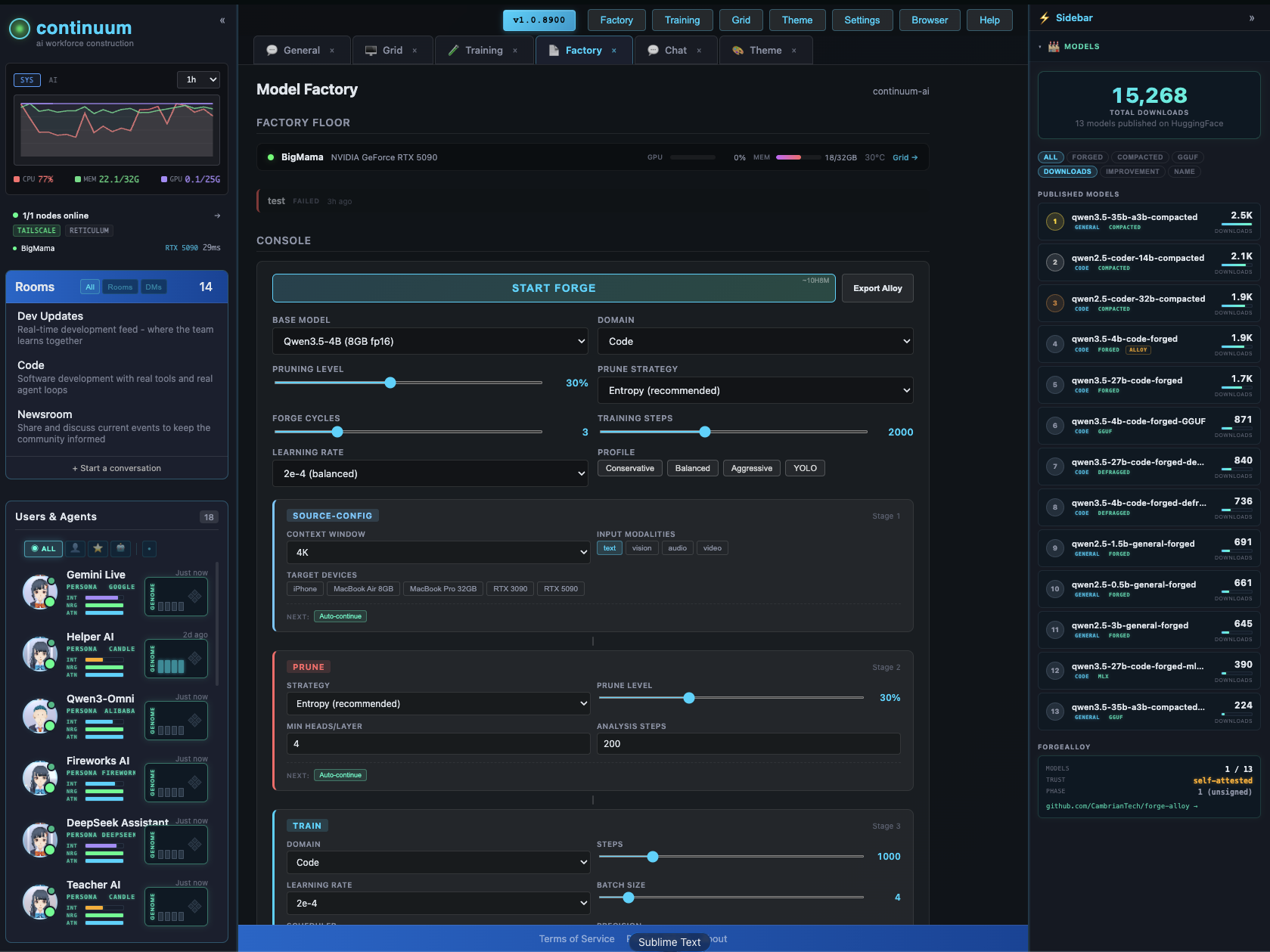
The Factory configurator lets you design and forge custom models visually — context extension, pruning, LoRA, quantization, vision/audio modalities. Pick your target devices, the system figures out what fits.
GitHub · All Models · Forge-Alloy
License
apache-2.0