

File size: 5,462 Bytes
9085930 2493514 f497f6e 196c6e9 f497f6e 2493514 e1479ad 2493514 196c6e9 9085930 a3719f8 b8f9215 76c99cb b8f9215 76c99cb 89dc351 b8f9215 76c99cb 35e7a68 d2bf29b 76c99cb d70f271 76c99cb 9ca7f7d dfc6a69 9ca7f7d 76c99cb b8f9215 d345359 2d83426 d345359 a3719f8 2493514 968639a 647ae6b b8f9215 6db7740 76c99cb 41a50ed 76c99cb b8f9215 1048ded f37537b 7e05e4e fff04a5 7e05e4e fff04a5 53faa2b 7e05e4e e4861c9 4d2a23a b8f9215 | 1 2 3 4 5 6 7 8 9 10 11 12 13 14 15 16 17 18 19 20 21 22 23 24 25 26 27 28 29 30 31 32 33 34 35 36 37 38 39 40 41 42 43 44 45 46 47 48 49 50 51 52 53 54 55 56 57 58 59 60 61 62 63 64 65 66 67 68 69 70 71 72 73 74 75 76 77 78 79 80 81 82 83 84 85 86 87 88 89 90 91 92 93 94 95 96 97 98 99 100 101 102 103 104 105 106 107 108 109 110 111 112 113 114 115 116 117 118 119 120 121 122 123 124 125 126 127 | ---
license: apache-2.0
base_model:
- Qwen/Qwen-Image-Edit-2509
pipeline_tag: image-to-image
widget:
- text: >-
apply the image 2 full costume to image 1 singing girl
output:
url: workflow-demo2.png
- text: >-
use image 2 city night view as background for image 1
output:
url: workflow-demo.png
- text: >-
use image 2 as background for image 1 fairy
output:
url: workflow-demo3.png
---
## qwen-image-edit-plus-gguf
- run it with `gguf-connector`; simply execute the command below in console/terminal
```
ggc q8
```
>
>GGUF file(s) available. Select which one to use:
>
>1. qwen-image-edit-plus-v2-iq3_s.gguf
>2. qwen-image-edit-plus-v2-iq4_nl.gguf
>4. qwen-image-edit-plus-v2-mxfp4_moe.gguf
>
>Enter your choice (1 to 3): _
>
- opt a `gguf` file in your current directory to interact with; nothing else
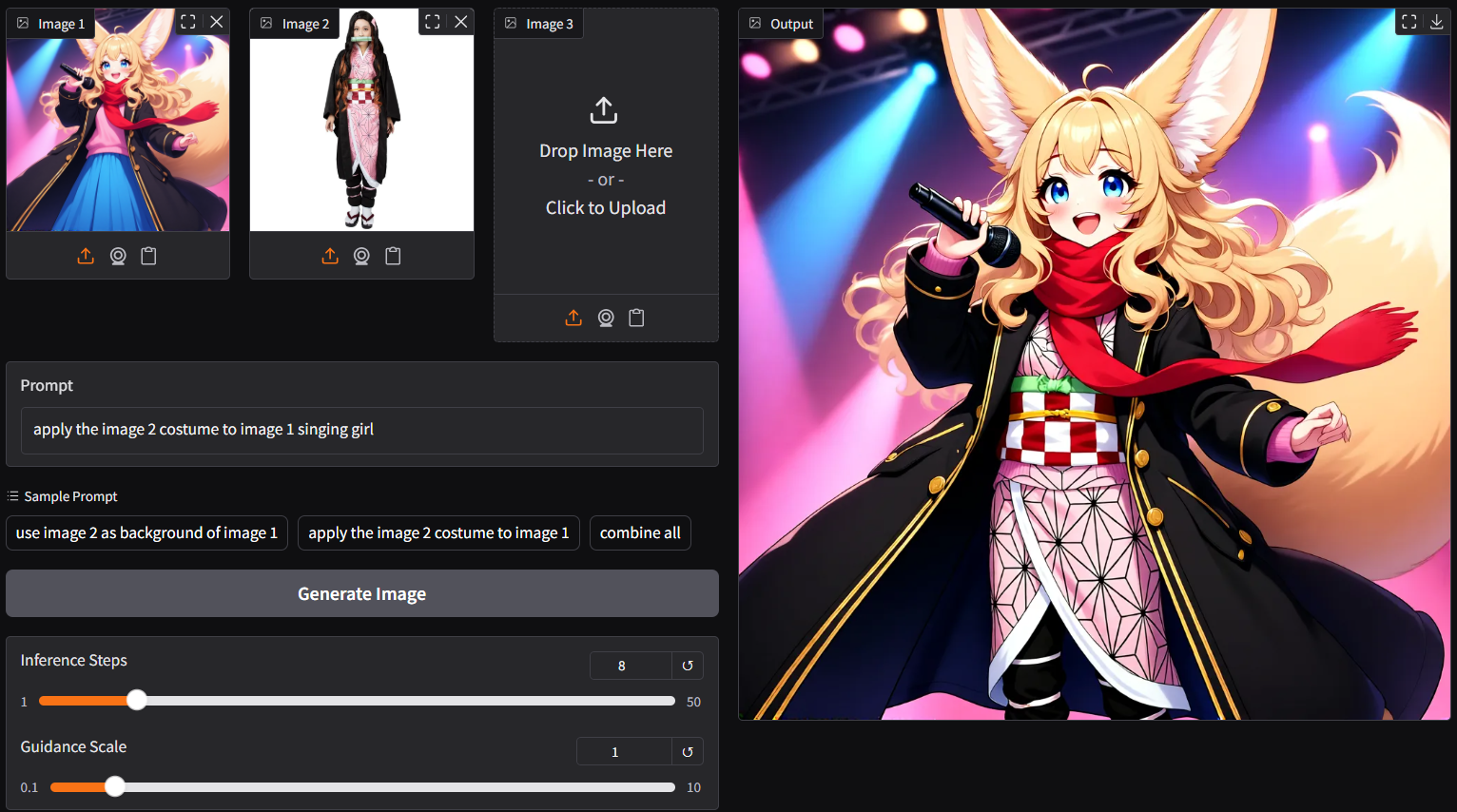
- `ggc q8` accepts multiple image input (see picture above; two images as input)
- as lite lora auto applied, able to generate output with merely 4/8 steps instead of the default 40 steps; save up to 80% loading time
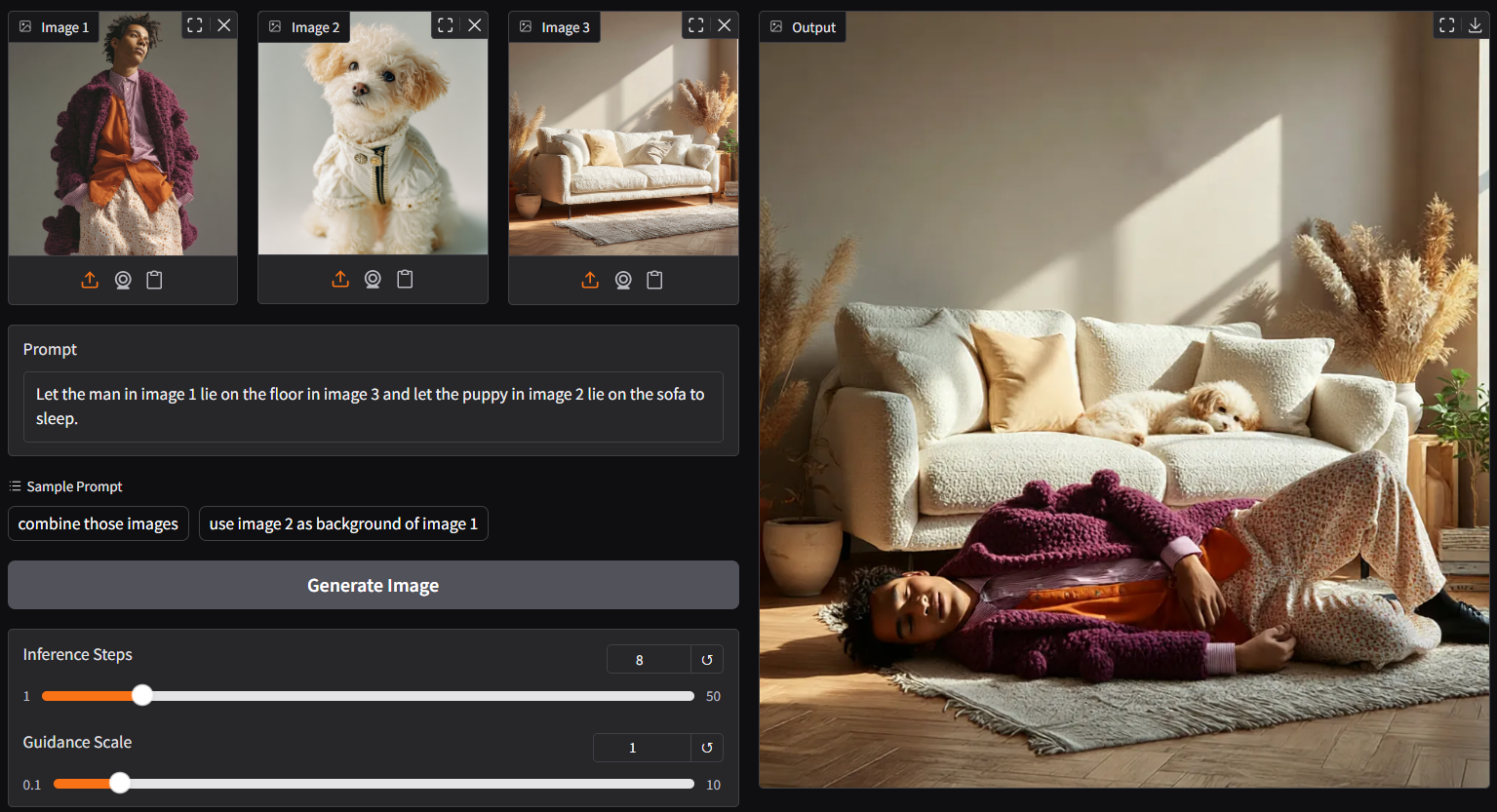
- up to 3 pictures plus customize prompt as input (above is 3 images input demo)
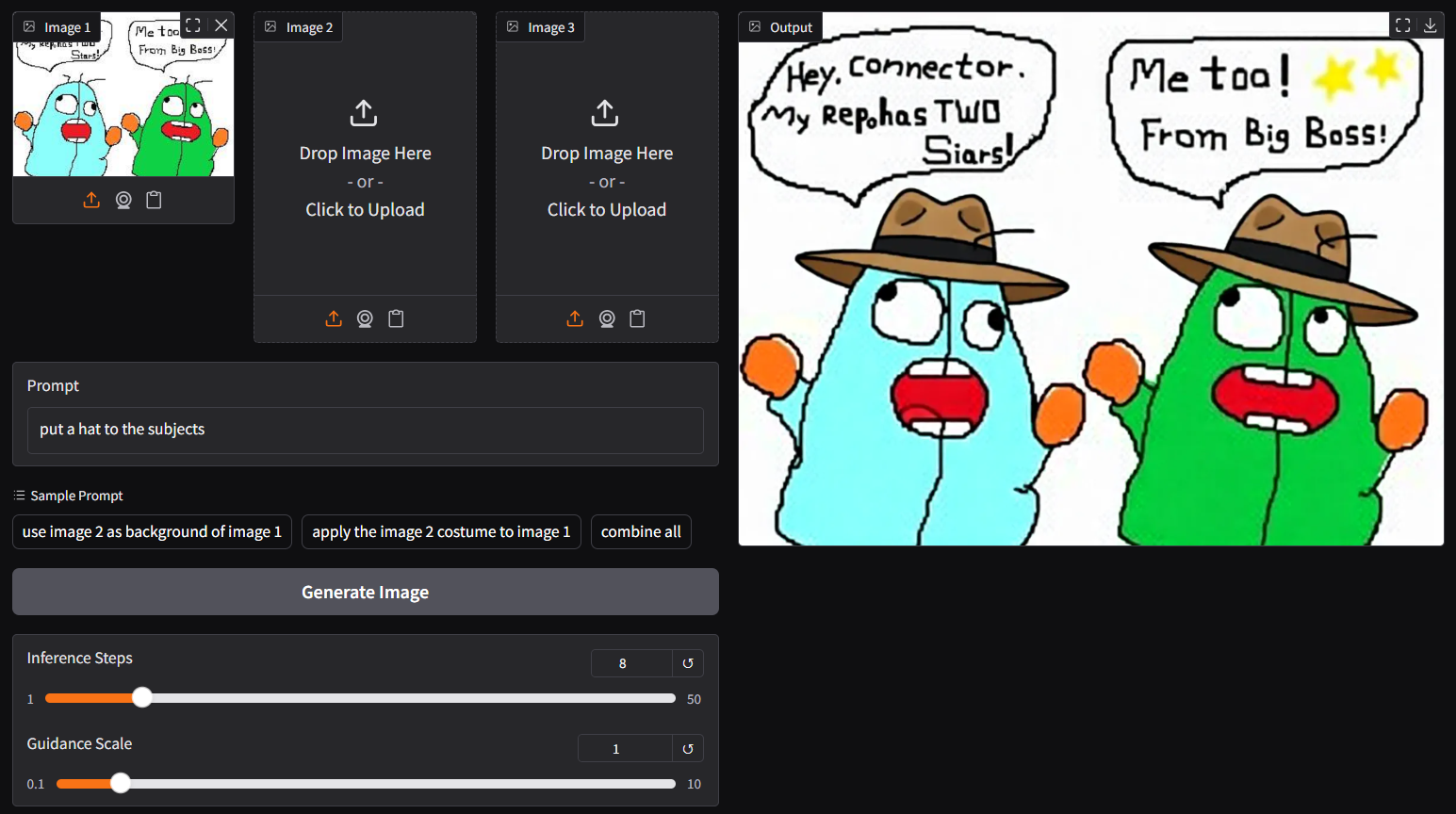
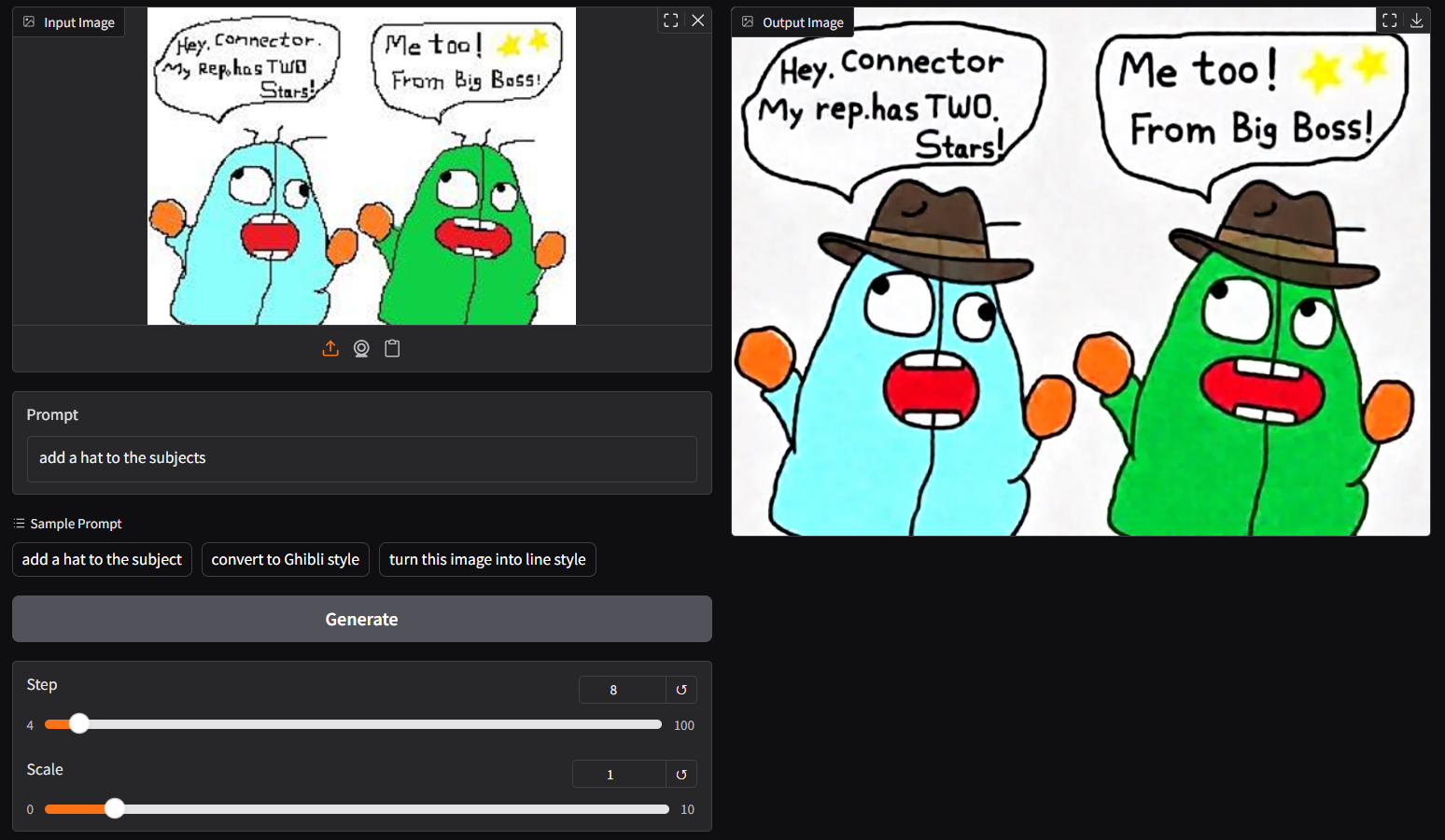
- though `ggc q8` is accepting single image input (see above), you could opt the legacy `ggc q7` (see below); similar to image-edit model before
```
ggc q7
```
## **run it with gguf-node via comfyui**
- drag **qwen-image-edit-plus** to > `./ComfyUI/models/diffusion_models`
- *anyone below, drag it to > `./ComfyUI/models/text_encoders`
- option 1: just **qwen2.5-vl-7b-test** [[5.03GB](https://huggingface.co/calcuis/qwen-image-edit-plus-gguf/blob/main/qwen2.5-vl-7b-test-q4_0.gguf)]
- option 2: just **qwen2.5-vl-7b-edit** [[7.95GB](https://huggingface.co/calcuis/pig-encoder/blob/main/qwen_2.5_vl_7b_edit-q2_k.gguf)]
- option 3: both **qwen2.5-vl-7b** [[4.43GB](https://huggingface.co/chatpig/qwen2.5-vl-7b-it-gguf/blob/main/qwen2.5-vl-7b-it-q4_0.gguf)] and **mmproj-clip** [[608MB](https://huggingface.co/chatpig/qwen2.5-vl-7b-it-gguf/blob/main/mmproj-qwen2.5-vl-7b-it-q4_0.gguf)]
- drag **pig** [[254MB](https://huggingface.co/calcuis/pig-vae/blob/main/pig_qwen_image_vae_fp32-f16.gguf)] to > `./ComfyUI/models/vae`
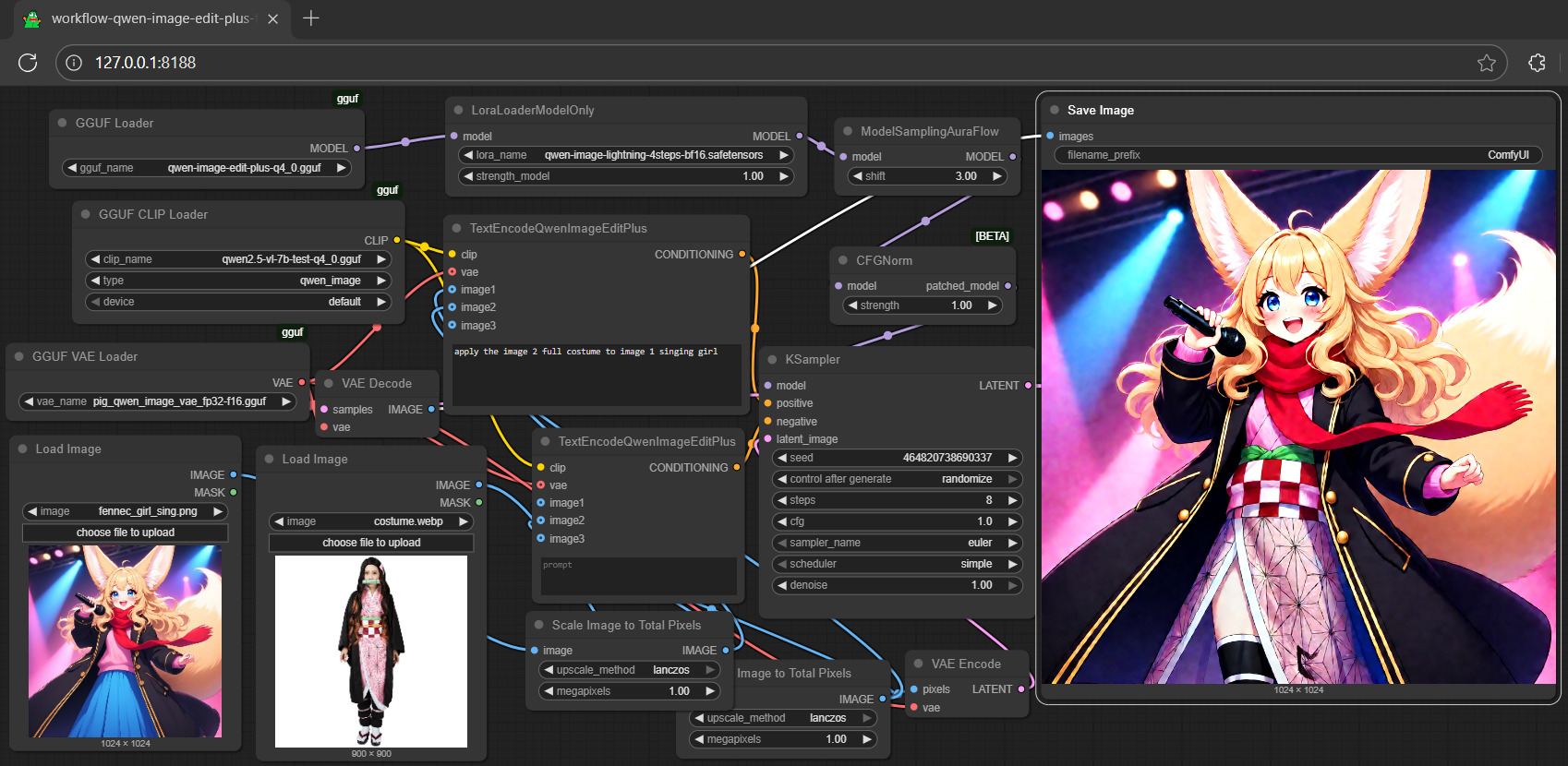
<Gallery />
## **run it with diffusers**
- might need the most updated git version for `QwenImageEditPlusPipeline`, should after this [pr](https://github.com/huggingface/diffusers/pull/12357/files); for i quant support, should after this [commit](https://github.com/huggingface/diffusers/commit/28106fcac4fd13e7ced5c9eb6803f107e804a08f); install the updated git version diffusers by:
```
pip install git+https://github.com/huggingface/diffusers.git
```
- simply replace `QwenImageEditPipeline` by `QwenImageEditPlusPipeline` from the qwen-image-edit inference example (see [here](https://huggingface.co/calcuis/qwen-image-edit-gguf))
```py
import torch, os
from diffusers import QwenImageTransformer2DModel, GGUFQuantizationConfig, QwenImageEditPlusPipeline
from diffusers.utils import load_image
model_path = "https://huggingface.co/calcuis/qwen-image-edit-plus-gguf/blob/main/qwen-image-edit-plus-v2-iq4_nl.gguf"
transformer = QwenImageTransformer2DModel.from_single_file(
model_path,
quantization_config=GGUFQuantizationConfig(compute_dtype=torch.bfloat16),
torch_dtype=torch.bfloat16,
config="callgg/image-edit-plus",
subfolder="transformer"
)
pipeline = QwenImageEditPipeline.from_pretrained("Qwen/Qwen-Image-Edit-2509", transformer=transformer, torch_dtype=torch.bfloat16)
print("pipeline loaded")
pipeline.enable_model_cpu_offload()
image = load_image("https://huggingface.co/datasets/huggingface/documentation-images/resolve/main/diffusers/cat.png")
prompt = "Add a hat to the cat"
inputs = {
"image": image,
"prompt": prompt,
"generator": torch.manual_seed(0),
"true_cfg_scale": 2.5,
"negative_prompt": " ",
"num_inference_steps": 20,
}
with torch.inference_mode():
output = pipeline(**inputs)
output_image = output.images[0]
output_image.save("output.png")
print("image saved at", os.path.abspath("output.png"))
```
## **run nunchaku safetensors straight with gguf-connector (experimental feature)**
- run it with the new `q9` connector; simply execute the command below in console/terminal
```
ggc q9
```
>
>Safetensors available. Select which one to use:
>
>1. qwen-image-edit-lite-int4.safetensors
>
>Enter your choice (1 to 1): _
- opt a `safetensors` file in your current directory to interact with; nothing else
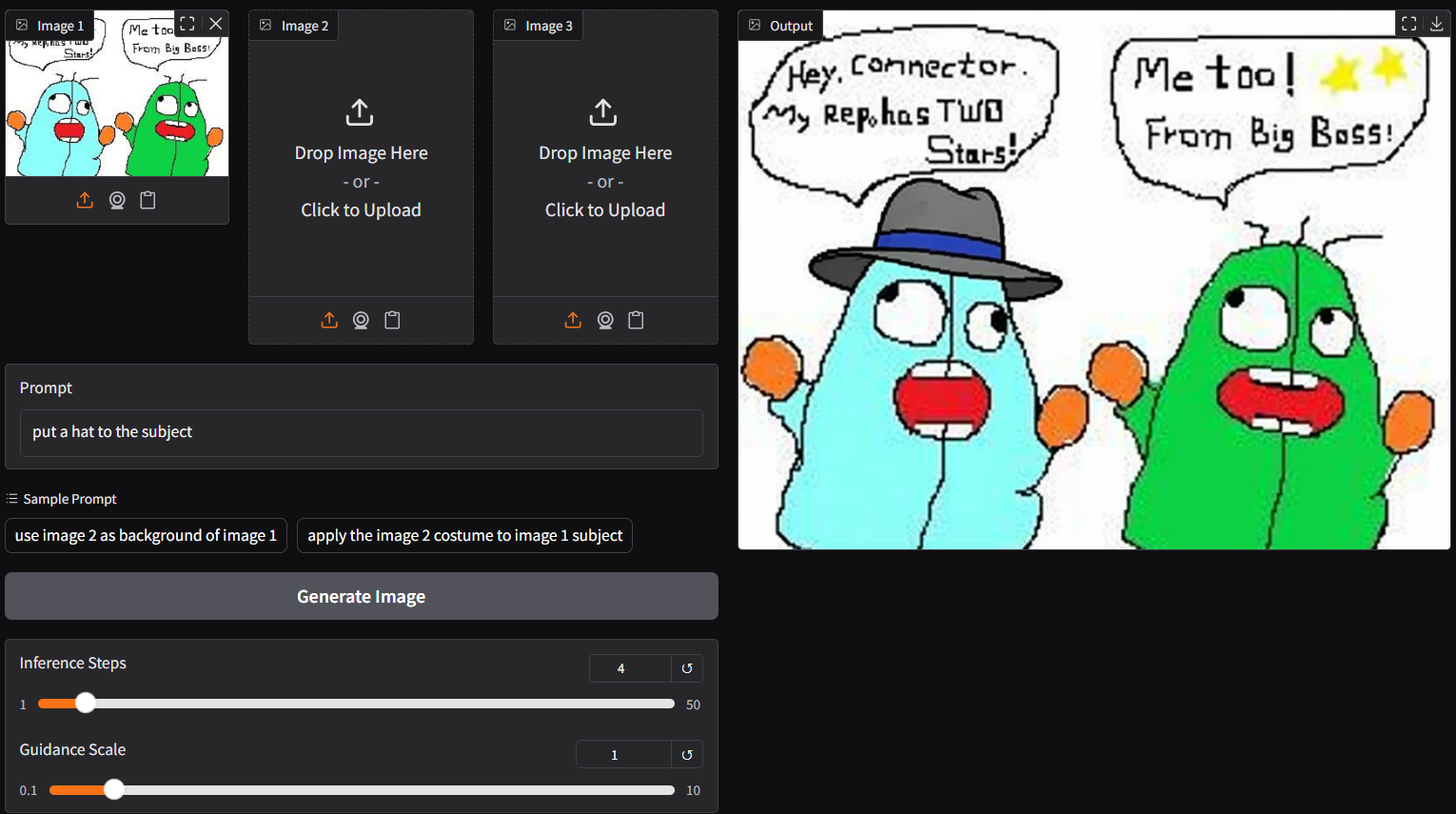
note: able to generate output with 4/8 steps (see above); surprisingly fast even with low end device; compatible with safetensors in nunchaku repo (depends on your machine; opt the right one)

### **reference**
- gguf-node ([pypi](https://pypi.org/project/gguf-node)|[repo](https://github.com/calcuis/gguf)|[pack](https://github.com/calcuis/gguf/releases))
- gguf-connector ([pypi](https://pypi.org/project/gguf-connector)) |