Instructions to use TheDrummer/Cydonia-24B-v3-GGUF with libraries, inference providers, notebooks, and local apps. Follow these links to get started.
- Libraries
- llama-cpp-python
How to use TheDrummer/Cydonia-24B-v3-GGUF with llama-cpp-python:
# !pip install llama-cpp-python from llama_cpp import Llama llm = Llama.from_pretrained( repo_id="TheDrummer/Cydonia-24B-v3-GGUF", filename="Cydonia-24B-v3e-Q2_K.gguf", )
output = llm( "Once upon a time,", max_tokens=512, echo=True ) print(output)
- Notebooks
- Google Colab
- Kaggle
- Local Apps Settings
- llama.cpp
How to use TheDrummer/Cydonia-24B-v3-GGUF with llama.cpp:
Install from brew
brew install llama.cpp # Start a local OpenAI-compatible server with a web UI: llama-server -hf TheDrummer/Cydonia-24B-v3-GGUF:Q4_K_M # Run inference directly in the terminal: llama-cli -hf TheDrummer/Cydonia-24B-v3-GGUF:Q4_K_M
Install from WinGet (Windows)
winget install llama.cpp # Start a local OpenAI-compatible server with a web UI: llama-server -hf TheDrummer/Cydonia-24B-v3-GGUF:Q4_K_M # Run inference directly in the terminal: llama-cli -hf TheDrummer/Cydonia-24B-v3-GGUF:Q4_K_M
Use pre-built binary
# Download pre-built binary from: # https://github.com/ggerganov/llama.cpp/releases # Start a local OpenAI-compatible server with a web UI: ./llama-server -hf TheDrummer/Cydonia-24B-v3-GGUF:Q4_K_M # Run inference directly in the terminal: ./llama-cli -hf TheDrummer/Cydonia-24B-v3-GGUF:Q4_K_M
Build from source code
git clone https://github.com/ggerganov/llama.cpp.git cd llama.cpp cmake -B build cmake --build build -j --target llama-server llama-cli # Start a local OpenAI-compatible server with a web UI: ./build/bin/llama-server -hf TheDrummer/Cydonia-24B-v3-GGUF:Q4_K_M # Run inference directly in the terminal: ./build/bin/llama-cli -hf TheDrummer/Cydonia-24B-v3-GGUF:Q4_K_M
Use Docker
docker model run hf.co/TheDrummer/Cydonia-24B-v3-GGUF:Q4_K_M
- LM Studio
- Jan
- Ollama
How to use TheDrummer/Cydonia-24B-v3-GGUF with Ollama:
ollama run hf.co/TheDrummer/Cydonia-24B-v3-GGUF:Q4_K_M
- Unsloth Studio
How to use TheDrummer/Cydonia-24B-v3-GGUF with Unsloth Studio:
Install Unsloth Studio (macOS, Linux, WSL)
curl -fsSL https://unsloth.ai/install.sh | sh # Run unsloth studio unsloth studio -H 0.0.0.0 -p 8888 # Then open http://localhost:8888 in your browser # Search for TheDrummer/Cydonia-24B-v3-GGUF to start chatting
Install Unsloth Studio (Windows)
irm https://unsloth.ai/install.ps1 | iex # Run unsloth studio unsloth studio -H 0.0.0.0 -p 8888 # Then open http://localhost:8888 in your browser # Search for TheDrummer/Cydonia-24B-v3-GGUF to start chatting
Using HuggingFace Spaces for Unsloth
# No setup required # Open https://huggingface.co/spaces/unsloth/studio in your browser # Search for TheDrummer/Cydonia-24B-v3-GGUF to start chatting
- Atomic Chat new
- Docker Model Runner
How to use TheDrummer/Cydonia-24B-v3-GGUF with Docker Model Runner:
docker model run hf.co/TheDrummer/Cydonia-24B-v3-GGUF:Q4_K_M
- Lemonade
How to use TheDrummer/Cydonia-24B-v3-GGUF with Lemonade:
Pull the model
# Download Lemonade from https://lemonade-server.ai/ lemonade pull TheDrummer/Cydonia-24B-v3-GGUF:Q4_K_M
Run and chat with the model
lemonade run user.Cydonia-24B-v3-GGUF-Q4_K_M
List all available models
lemonade list
Join our Discord! https://discord.gg/BeaverAI
More than 5000 members strong πͺ Now with more channels! A hub for users and makers alike!
Drummer proudly presents...
Cydonia 24B v3 πΏ
Come ride with me through the veins of history.
Supported Chat Templates
- Mistral v7 Tekken
Description
It played all my usual character cards really well.
Follows prompts well. adheres to characters nicely and is fun to RP with. it also as expected writes really nice smu7.
Creative and I'm not seeing any repetition problems, not sure how to judge intelligence in RP
Also, this model slaps. I've run it through 3rd person, 2nd person, and 1st person contexts with better than average results. It follows instructions and history well, and the prose is good. DnD DM scenario is good, keeps decent track of OOC and IC separation. Follows WI entries (I only use dictionary style though). I use non-standard system prompts and it adapts to these well. Does well on example config files for programs I use. Enough for teaching familiarization. Refusals are minimal. They happen in assistant contexts but only for extreme things. This is a great sign. Overall it feels like Cydonia22 but better. Great job spaceman!
Plans
- Cydonia 24B v3.1 with more creativity and fallen influence
- Skyfall 31B v3, like v2 but fits better!
Special Thanks
- Thank you to each and everyone who donated and subscribed in Patreon and Ko-Fi to make our venture a little bit easier.
- Subscribe to my Patreon!
Links
- Original: https://huggingface.co/TheDrummer/Cydonia-24B-v3
- GGUF: https://huggingface.co/TheDrummer/Cydonia-24B-v3-GGUF
- iMatrix (recommended): https://huggingface.co/bartowski/TheDrummer_Cydonia-24B-v3-GGUF
- EXL3: https://huggingface.co/ArtusDev/TheDrummer_Cydonia-24B-v3-EXL3
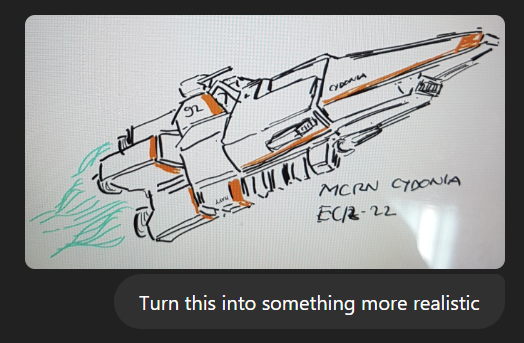
config-v3e
- Downloads last month
- 379
2-bit
3-bit
4-bit
5-bit
6-bit
8-bit
Model tree for TheDrummer/Cydonia-24B-v3-GGUF
Base model
mistralai/Mistral-Small-3.1-24B-Base-2503

docker model run hf.co/TheDrummer/Cydonia-24B-v3-GGUF: