Instructions to use DJLougen/Qwable-5-27B-Coder-GGUF with libraries, inference providers, notebooks, and local apps. Follow these links to get started.
- Libraries
- llama-cpp-python
How to use DJLougen/Qwable-5-27B-Coder-GGUF with llama-cpp-python:
# !pip install llama-cpp-python from llama_cpp import Llama llm = Llama.from_pretrained( repo_id="DJLougen/Qwable-5-27B-Coder-GGUF", filename="Qwable-5-27B-Coder-IQ1_S.gguf", )
llm.create_chat_completion( messages = [ { "role": "user", "content": "What is the capital of France?" } ] ) - Notebooks
- Google Colab
- Kaggle
- Local Apps Settings
- llama.cpp
How to use DJLougen/Qwable-5-27B-Coder-GGUF with llama.cpp:
Install (macOS, Linux)
curl -LsSf https://llama.app/install.sh | sh # Start a local OpenAI-compatible server with a web UI: llama serve -hf DJLougen/Qwable-5-27B-Coder-GGUF:Q4_K_M # Run inference directly in the terminal: llama cli -hf DJLougen/Qwable-5-27B-Coder-GGUF:Q4_K_M
Install from WinGet (Windows)
winget install llama.cpp # Start a local OpenAI-compatible server with a web UI: llama serve -hf DJLougen/Qwable-5-27B-Coder-GGUF:Q4_K_M # Run inference directly in the terminal: llama cli -hf DJLougen/Qwable-5-27B-Coder-GGUF:Q4_K_M
Use pre-built binary
# Download pre-built binary from: # https://github.com/ggerganov/llama.cpp/releases # Start a local OpenAI-compatible server with a web UI: ./llama-server -hf DJLougen/Qwable-5-27B-Coder-GGUF:Q4_K_M # Run inference directly in the terminal: ./llama-cli -hf DJLougen/Qwable-5-27B-Coder-GGUF:Q4_K_M
Build from source code
git clone https://github.com/ggerganov/llama.cpp.git cd llama.cpp cmake -B build cmake --build build -j --target llama-server llama-cli # Start a local OpenAI-compatible server with a web UI: ./build/bin/llama-server -hf DJLougen/Qwable-5-27B-Coder-GGUF:Q4_K_M # Run inference directly in the terminal: ./build/bin/llama-cli -hf DJLougen/Qwable-5-27B-Coder-GGUF:Q4_K_M
Use Docker
docker model run hf.co/DJLougen/Qwable-5-27B-Coder-GGUF:Q4_K_M
- LM Studio
- Jan
- vLLM
How to use DJLougen/Qwable-5-27B-Coder-GGUF with vLLM:
Install from pip and serve model
# Install vLLM from pip: pip install vllm # Start the vLLM server: vllm serve "DJLougen/Qwable-5-27B-Coder-GGUF" # Call the server using curl (OpenAI-compatible API): curl -X POST "http://localhost:8000/v1/chat/completions" \ -H "Content-Type: application/json" \ --data '{ "model": "DJLougen/Qwable-5-27B-Coder-GGUF", "messages": [ { "role": "user", "content": "What is the capital of France?" } ] }'Use Docker
docker model run hf.co/DJLougen/Qwable-5-27B-Coder-GGUF:Q4_K_M
- Ollama
How to use DJLougen/Qwable-5-27B-Coder-GGUF with Ollama:
ollama run hf.co/DJLougen/Qwable-5-27B-Coder-GGUF:Q4_K_M
- Unsloth Studio
How to use DJLougen/Qwable-5-27B-Coder-GGUF with Unsloth Studio:
Install Unsloth Studio (macOS, Linux, WSL)
curl -fsSL https://unsloth.ai/install.sh | sh # Run unsloth studio unsloth studio -H 0.0.0.0 -p 8888 # Then open http://localhost:8888 in your browser # Search for DJLougen/Qwable-5-27B-Coder-GGUF to start chatting
Install Unsloth Studio (Windows)
irm https://unsloth.ai/install.ps1 | iex # Run unsloth studio unsloth studio -H 0.0.0.0 -p 8888 # Then open http://localhost:8888 in your browser # Search for DJLougen/Qwable-5-27B-Coder-GGUF to start chatting
Using HuggingFace Spaces for Unsloth
# No setup required # Open https://huggingface.co/spaces/unsloth/studio in your browser # Search for DJLougen/Qwable-5-27B-Coder-GGUF to start chatting
- Pi
How to use DJLougen/Qwable-5-27B-Coder-GGUF with Pi:
Start the llama.cpp server
# Install llama.cpp: brew install llama.cpp # Start a local OpenAI-compatible server: llama serve -hf DJLougen/Qwable-5-27B-Coder-GGUF:Q4_K_M
Configure the model in Pi
# Install Pi: npm install -g @mariozechner/pi-coding-agent # Add to ~/.pi/agent/models.json: { "providers": { "llama-cpp": { "baseUrl": "http://localhost:8080/v1", "api": "openai-completions", "apiKey": "none", "models": [ { "id": "DJLougen/Qwable-5-27B-Coder-GGUF:Q4_K_M" } ] } } }Run Pi
# Start Pi in your project directory: pi
- Hermes Agent new
How to use DJLougen/Qwable-5-27B-Coder-GGUF with Hermes Agent:
Start the llama.cpp server
# Install llama.cpp: brew install llama.cpp # Start a local OpenAI-compatible server: llama serve -hf DJLougen/Qwable-5-27B-Coder-GGUF:Q4_K_M
Configure Hermes
# Install Hermes: curl -fsSL https://hermes-agent.nousresearch.com/install.sh | bash hermes setup # Point Hermes at the local server: hermes config set model.provider custom hermes config set model.base_url http://127.0.0.1:8080/v1 hermes config set model.default DJLougen/Qwable-5-27B-Coder-GGUF:Q4_K_M
Run Hermes
hermes
- Atomic Chat new
- Docker Model Runner
How to use DJLougen/Qwable-5-27B-Coder-GGUF with Docker Model Runner:
docker model run hf.co/DJLougen/Qwable-5-27B-Coder-GGUF:Q4_K_M
- Lemonade
How to use DJLougen/Qwable-5-27B-Coder-GGUF with Lemonade:
Pull the model
# Download Lemonade from https://lemonade-server.ai/ lemonade pull DJLougen/Qwable-5-27B-Coder-GGUF:Q4_K_M
Run and chat with the model
lemonade run user.Qwable-5-27B-Coder-GGUF-Q4_K_M
List all available models
lemonade list
license: apache-2.0
library_name: gguf
pipeline_tag: text-generation
base_model:
- DJLougen/Qwable-5-27B-Coder
base_model_relation: quantized
language:
- en
tags:
- gguf
- llama.cpp
- qwen
- qwen3_6
- qwen3_5
- coder
- coding-agent
- agentic-coding
- tool-use
- repository-work
- terminal-workflows
- long-context
- imatrix
- qlora
Qwable-5-27B-Coder-GGUF
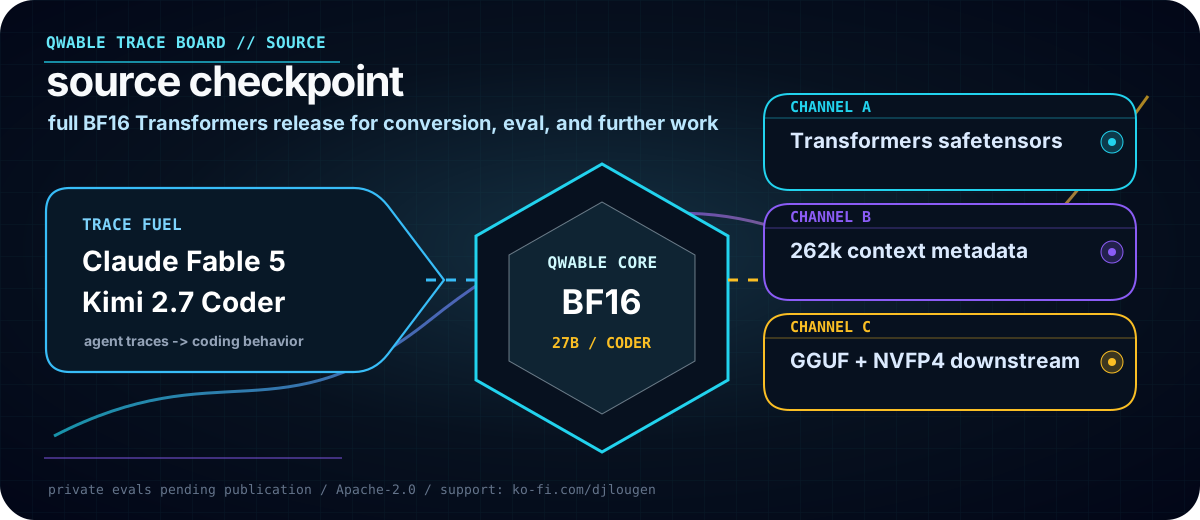
Qwable-5-27B-Coder-GGUF packages the Qwable coder-agent tune for llama.cpp, Ollama, and local workstation inference. It comes from a Qwen3.6-based model trained first on Claude Fable 5 traces, then continued on Kimi 2.7 Coder traces.
Use this repo when you want Qwable's coding-agent behavior in GGUF form: repository inspection, patch planning, terminal feedback, verifier recovery, and long-context coding prompts.

Quant menu
| File | Quant | Approx. size | Best for |
|---|---|---|---|
Qwable-5-27B-Coder-Q8_0.gguf |
Q8_0 | 28.6 GB | quality checks, quant comparisons, high-memory local serving |
Qwable-5-27B-Coder-Q4_K_M.gguf |
Q4_K_M | 16.5 GB | default local starting point |
Qwable-5-27B-Coder-IQ1_S.gguf |
IQ1_S | 7.1 GB | tight memory budgets; expect quality tradeoffs |
IQ1_S uses an importance matrix computed on the training traces.
Model facts
| Attribute | Details |
|---|---|
| GGUF repo | DJLougen/Qwable-5-27B-Coder-GGUF |
| Source checkpoint | DJLougen/Qwable-5-27B-Coder |
| Upstream base | unsloth/Qwen3.6-27B |
| Runtime target | llama.cpp-compatible local inference |
| Architecture tag | qwen3_5 |
| Scope | Text tower only; no vision sidecar in this repo |
| Training signal | Claude Fable 5 traces, then Kimi 2.7 Coder traces |
| License | Apache-2.0 |
BF16 source checkpoint
-> GGUF conversion
-> Q8_0: quality reference
-> Q4_K_M: normal local use
-> IQ1_S: smallest imatrix build
Early maintainer runs show the source checkpoint outperforming the base model on a private coder benchmark. Public benchmark details are not posted yet, so treat that as early maintainer signal rather than a reproducible leaderboard claim.
Quickstart
Requires a llama.cpp build with qwen3_5 support.
Run a local OpenAI-compatible server:
llama-server -hf DJLougen/Qwable-5-27B-Coder-GGUF:Q4_K_M \
--jinja -ngl 99 -fa -c 32768 \
--temp 1.0 --top-p 0.95 --top-k 20
Run with Ollama:
ollama run hf.co/DJLougen/Qwable-5-27B-Coder-GGUF:Q4_K_M
Download one file:
hf download DJLougen/Qwable-5-27B-Coder-GGUF \
Qwable-5-27B-Coder-Q4_K_M.gguf \
--local-dir .
Choosing a file
- Start with
Q4_K_Munless you are explicitly testing quality ceilings or memory floors. - Use
Q8_0for comparisons against the source checkpoint or high-memory local serving. - Use
IQ1_Sonly when the model otherwise will not fit; verify quality on your own tasks. - Keep prompts concrete: include repository context, exact errors, constraints, and verifier commands.
Related releases
- Source BF16 Transformers checkpoint:
DJLougen/Qwable-5-27B-Coder - NVFP4 ModelOpt checkpoint:
DJLougen/Qwable-5-27B-Coder-NVFP4
Limitations
- Public benchmark tables are pending.
- Low-bit GGUF quantization can reduce instruction following, code precision, and tool-call reliability.
- This repo contains text GGUF files only; it is not the full multimodal Transformers checkpoint.
- Long-context behavior depends on llama.cpp build, hardware, KV cache settings, and prompt layout.
- Safety behavior is inherited from the base model and fine-tuning data; no separate safety alignment claim is made here.
License
Released under Apache-2.0, following the upstream base model license metadata.