
File size: 1,006 Bytes
f2fa90c | 1 2 3 4 5 6 7 8 9 10 11 12 13 14 15 16 17 18 19 20 21 22 23 24 25 26 27 28 29 30 31 32 33 34 35 36 37 38 39 40 41 42 43 44 45 46 | ---
base_model: black-forest-labs/FLUX.1-dev
library_name: diffusers
license: other
tags:
- flux
- lora
- text-to-image
- diffusers
pipeline_tag: text-to-image
instance_prompt: "a photo of alphaduriendur"
---
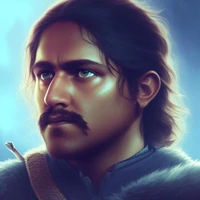
# Flux.1-dev LoRA — Avatar
LoRA fine-tuned on [Flux.1-dev](black-forest-labs/FLUX.1-dev) for personalized avatar generation.
## Training details
- **Base model:** `black-forest-labs/FLUX.1-dev`
- **Instance prompt:** `a photo of alphaduriendur`
- **LoRA rank:** 16
- **Training steps:** 1000
- **Learning rate:** 0.0004
- **Resolution:** 1024
## Usage
```python
from diffusers import FluxPipeline
import torch
pipe = FluxPipeline.from_pretrained(
"black-forest-labs/FLUX.1-dev",
torch_dtype=torch.bfloat16
)
pipe.load_lora_weights("alphaduriendur/avatar-weights-01")
pipe = pipe.to("cuda")
image = pipe(
prompt="a photo of alphaduriendur, professional headshot, studio lighting, 8k",
num_inference_steps=28,
guidance_scale=3.5
).images[0]
image.save("avatar.png")
```
|